Quick answer
Our overall pick is the Logitech MX Brio for its 4K resolution, AI-enhanced image quality, and fine manual controls. Other picks are ideal for those needing AI tracking, built-in lighting, or a simple plug-and-play setup.
Finding the right webcam can make a big difference in how you look and sound on video calls, live streams, and online meetings. With so many options offering 4K resolution, AI features, and noise-canceling microphones, it can be tough to know where to start. We’ve compiled this list of the 28 best webcams by comparing manufacturer specifications and features from Amazon listings to help you make an informed choice.
Quick picks
- Overall 4K pick: Logitech MX Brio Ultra HD 4K Webcam (see on Amazon)
- AI tracking & PTZ: Insta360 Link 2 4K PTZ Webcam (see on Amazon)
- With built-in ring light: UGREEN 4K Webcam with Ring Light (see on Amazon)
- Simple 1080p privacy: Lenovo Essential FHD Webcam Gen 2 (see on Amazon)
28 Best Webcams compared
| # | Product | Best for | Max Resolution | Microphone Type | Privacy Cover |
|---|---|---|---|---|---|
| 1 | Logitech MX Brio Ultra HD 4K Webcam | Best overall for 4K streaming and collaboration | 4K | Not listed | Not listed |
| 2 | Logitech Brio Ultra 4K HD Webcam | Best for automatic light correction and wide views | 4K | Dual omnidirectional | Not listed |
| 3 | Insta360 Link 2 4K PTZ Webcam | Best for AI tracking and DSLR-like bokeh | 4K | AI noise-canceling | Not listed |
| 4 | Insta360 Link 2 Pro 4K PTZ Webcam | Best for flagship low-light performance and directional audio | 4K | Dual-mic system | Not listed |
| 5 | Insta360 Link 2C 4K Webcam | Best for auto framing and HDR | 4K | AI noise-canceling | Not listed |
| 6 | Insta360 Link 2C Pro 4K Webcam | Best for group auto framing and directional mics | 4K | Dual-mic system | Not listed |
| 7 | EMEET NOVA 4K Webcam | Best for business meetings with PDAF autofocus | 4K | Dual omnidirectional | Yes |
| 8 | UGREEN 4K Webcam with Ring Light | Best for dark rooms with built-in fill lighting | 4K | Noise-canceling | Yes |
| 9 | EMEET C960 4K Webcam | Best plug-and-play 4K webcam with privacy | 4K | Dual omnidirectional | Yes |
| 10 | EMEET S600 4K Streaming Webcam | Best for live commerce with a Sony sensor | 4K | 2 Noise Reduction Mics | Yes |
| 11 | Acer A640 4K Webcam | Best for instant PDAF autofocus and AI noise canceling | 4K | AI noise-canceling | Not listed |
| 12 | Acer All-Metal 4K Webcam | Best for a premium all-metal unibody design | 4K | Dual digital | Not listed |
| 13 | EMEET C60E Dual-Camera 4K Webcam | Best for livestreaming with dual cameras and zoom | 4K | 2 Mics | Not listed |
| 14 | Philips 4K Webcam | Best for hassle-free 4K plug-and-play | 4K | Integrated | Yes |
| 15 | AOC 4K Webcam with PDAF & Tripod | Best for smooth 1080p 60fps streaming | 4K | Not listed | Yes |
| 16 | Elelink 4K Webcam | Best for smart HDR light correction | 4K | Dual noise-canceling | Yes |
| 17 | Razer Kiyo V2 X Webcam | Best for 1440p 60 FPS gaming streams | 1440P | Built-in | Yes |
| 18 | AOC 4K Webcam | Best for flexible mounting with 360° swivel | 4K | Not listed | Yes |
| 19 | OBSBOT Tiny 2 Lite 4K Webcam | Best for customizable AI tracking modes | 4K | Not listed | Not listed |
| 20 | OBSBOT Meet 2 4K Webcam | Best compact webcam with AI framing | 4K | Dual microphone | Not listed |
| 21 | Gohero Full HD 1080P Webcam | Best 1080p webcam with wide-angle lens | 1080P | Noise-canceling | Yes |
| 22 | Lenovo Essential FHD Webcam Gen 2 | Best for simple 1080p with a manual privacy shutter | 1080P | Dual built-in | Yes |
| 23 | NIVEOLI 1080P Webcam | Best 1080p webcam with auto light correction | 1080P | Dual digital | Yes |
| 24 | UGREEN 2K Webcam | Best for 2K resolution and a wide 95° FOV | 2K | Dual integrated | Yes |
| 25 | Acer A610 1080p Webcam | Best plug-and-play 1080p webcam with noise reduction | 1080P | Dual noise-reduction | Yes |
| 26 | Amazon Basics 1080p Webcam | Best travel-friendly basic 1080p webcam | 1080P | Built-in | Not listed |
| 27 | Logitech C920e HD 1080p Webcam | Best certified for Zoom and Microsoft Teams | 1080P | Dual omnidirectional | Yes (attachable) |
| 28 | EMEET C960 1080P Webcam (2025) | Best 1080p webcam with USB A & C adapter | 1080P | 2 omnidirectional | Yes |
How we chose
Our picks are based on comparing manufacturer listings and specifications on Amazon as of October 2026. We did not test or review these products hands-on. We looked for key features like resolution, sensor size, autofocus technology, microphone quality, and physical design to create categories that match different user needs.
Premium 4K Webcams with Advanced Features
These webcams offer top-tier 4K video, large sensors for better low-light performance, and professional-grade controls.
1. Best overall for 4K streaming and collaboration: Logitech MX Brio Ultra HD 4K Webcam

Pros
- Ultra HD 4K resolution at 30fps
- AI-enhanced image quality with manual controls
- Compatible with Nintendo Switch 2 GameChat mode
Cons
- The listing does not mention a built-in privacy cover.
The Logitech MX Brio is an Ultra HD 4K webcam designed for collaboration and streaming. It records 4K video at 30fps or 1080p at 60fps and features AI-enhanced image quality for better face visibility in difficult light. It includes fine manual controls for adjusting lighting and white balance, and it’s listed as compatible with Nintendo Switch 2’s GameChat mode.
Best for: Users who want high-end 4K video with manual image controls for professional streaming and calls.
2. Best for automatic light correction and wide views: Logitech Brio Ultra 4K HD Webcam

Pros
- 4K resolution with RightLight 3 auto light correction
- Three adjustable field of view presets
- Dual omnidirectional noise-canceling microphones
Cons
- The listing does not mention a built-in privacy cover.
The Logitech Brio Ultra is a 4K HD webcam with a glass lens. It supports 4K at 30 fps and features RightLight 3 technology to automatically adjust for glare and backlighting. It offers three adjustable diagonal field of view presets (65°, 78°, 90°) and has dual omnidirectional noise-canceling microphones. It is certified for Microsoft Teams, Zoom, and Google Meet.
Best for: Video calls in varying lighting conditions where you need to adjust the field of view.
3. Best for AI tracking and DSLR-like bokeh: Insta360 Link 2 4K PTZ Webcam

Pros
- 4K resolution with a 1/2-inch sensor and HDR
- Phase Detection Auto Focus (PDAF)
- AI noise-canceling microphones
Cons
- The listing does not mention a built-in privacy cover.
The Insta360 Link 2 is a 4K PTZ webcam with a 1/2-inch sensor, HDR, and low-light performance. It features Phase Detection Auto Focus (PDAF) for fast focusing and can replicate a DSLR-like depth of field (bokeh). It includes AI noise-canceling microphones and supports gesture control.
Best for: Streamers and presenters who want AI tracking, professional audio, and cinematic background blur.
4. Best for flagship low-light performance and directional audio: Insta360 Link 2 Pro 4K PTZ Webcam

Pros
- 4K with large 1/1.3-inch sensor
- AI tracking with physical pan and tilt
- Dual-mic system with directional pickup
Cons
- The listing does not mention a built-in privacy cover.
The Insta360 Link 2 Pro is a 4K PTZ webcam with a large 1/1.3-inch sensor for cleaner video and excellent low-light performance. It features AI tracking that physically pans and tilts, a redesigned dual-mic system with beamforming directional pickup, and can replicate a DSLR-like depth of field.
Best for: Professional streamers and meeting hosts who need superior low-light video and isolated voice pickup.
5. Best for auto framing and HDR: Insta360 Link 2C 4K Webcam

Pros
- 4K resolution with a 1/2-inch sensor and HDR
- Phase Detection Auto Focus (PDAF)
- AI noise-canceling microphones
Cons
- The listing does not mention a built-in privacy cover.
The Insta360 Link 2C is a 4K webcam with a 1/2-inch sensor, HDR, and low-light performance. It features Phase Detection Auto Focus (PDAF), AI noise-canceling microphones, and can replicate a DSLR-like depth of field. It also supports gesture control.
Best for: Users seeking 4K quality with auto-framing and good low-light performance at a more accessible point.
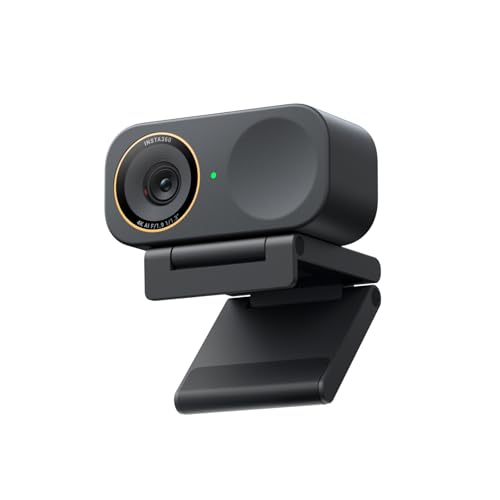
6. Best for group auto framing and directional mics: Insta360 Link 2C Pro 4K Webcam
Pros
- 4K with large 1/1.3-inch sensor
- Auto framing for individuals or groups
- Dual-mic system with directional pickup
Cons
- The listing does not mention a built-in privacy cover.
The Insta360 Link 2C Pro is a 4K webcam with a large 1/1.3-inch sensor for low-light performance. It features auto framing to keep individuals or groups in frame, a dual-mic system with beamforming directional pickup, and can replicate a DSLR-like depth of field. It supports Stream Deck.
Best for: Team meetings and group streams where the camera needs to automatically frame multiple people.
7. Best for business meetings with PDAF autofocus: EMEET NOVA 4K Webcam

Pros
- 4K resolution with PDAF autofocus
- Dual omnidirectional microphones
- Includes a privacy cover
Cons
- Manual focus is not supported.
- USB 2.0 connection
The EMEET NOVA is a 4K webcam with a CMOS sensor and PDAF (Phase Detection Auto Focus) technology for fast, accurate focusing within a fixed range. It has dual omnidirectional microphones, a 73° field of view, auto light correction, and includes a privacy cover. It connects via USB 2.0 Type A.
Best for: High-stakes business meetings where reliable autofocus and clear audio are essential.
8. Best for dark rooms with built-in fill lighting: UGREEN 4K Webcam with Ring Light

Pros
- 4K resolution with built-in adjustable ring light
- Fast 0.3s PDAF autofocus
- Built-in sliding privacy cover
Cons
- The listing does not specify the microphone type.
The UGREEN 4K webcam records at 4K@30fps or 1080p@60fps. Its key feature is a built-in ring fill light with six adjustable levels (cold, warm, and natural mixed light). It has 0.3-second PDAF autofocus, noise-canceling microphones, and a built-in sliding privacy cover.
Best for: Streamers and remote workers who need extra lighting for dimly lit home offices or rooms.
9. Best plug-and-play 4K webcam with privacy: EMEET C960 4K Webcam

Pros
- True 4K CMOS sensor
- PDAF autofocus
- Includes a privacy cover
Cons
- The listing does not mention manual focus.
The EMEET C960 is a 4K webcam with a CMOS sensor, PDAF autofocus, and auto light correction. It features dual omnidirectional microphones, a 73° field of view, and includes a privacy cover. It is designed for plug-and-play use with a USB-A interface.
Best for: Users who want a straightforward, true 4K webcam that’s easy to set up and includes privacy protection.
10. Best for live commerce with a Sony sensor: EMEET S600 4K Streaming Webcam

Pros
- 4K with Sony 1/2.55-inch sensor
- PDAF autofocus
- Built-in privacy cover
Cons
- The listing does not mention manual controls.
The EMEET S600 is a 4K streaming webcam with a Sony 1/2.55-inch sensor. It offers 1080p at 60fps, PDAF autofocus, and two noise reduction microphones. It has a built-in privacy cover on the lens, a 73° field of view, and is designed for live commerce, gaming, and beauty streaming.
Best for: Live streamers, especially in e-commerce or beauty, who need product clarity and good audio.
11. Best for instant PDAF autofocus and AI noise canceling: Acer A640 4K Webcam

Pros
- 4K with Sony sensor and PDAF autofocus
- AI noise-canceling microphones
- Includes USB-A to C adapter
Cons
- The listing does not mention a built-in privacy cover.
The Acer A640 is a 4K webcam with a Sony 1/2.8-inch sensor, supporting 4K at 30fps and 1080p at 60fps. It features Phase Detection Auto Focus (PDAF) for instant focusing, AI noise-canceling microphones, and includes a USB-A to C adapter for plug-and-play connectivity.
Best for: Users who want fast, stable autofocus without ‘hunting’ and clear audio in noisy environments.
12. Best for a premium all-metal unibody design: Acer All-Metal 4K Webcam

Pros
- 4K UHD with Sony 1/2-inch sensor
- Premium all-metal unibody design
- Dual high-sensitivity digital microphones
Cons
- The listing does not mention a built-in privacy cover.
This Acer webcam has a 4K UHD resolution with a large Sony 1/2-inch CMOS sensor for balanced visuals and low-light performance. It features a seamless all-metal unibody design made from aerospace-grade aluminum, Phase Detection Autofocus (PDAF), and dual high-sensitivity digital microphones.
Best for: Users who prioritize a durable, elegant build quality alongside 4K video performance.
13. Best for livestreaming with dual cameras and zoom: EMEET C60E Dual-Camera 4K Webcam

Pros
- Dual-camera system with 11x hybrid zoom
- Includes remote control
- RGB lighting design
Cons
- The listing does not mention a built-in privacy cover.
The EMEET C60E is a dual-camera 4K webcam with a wide-angle and a telephoto lens sharing a 1/2.8-inch CMOS sensor. It offers up to 11x hybrid zoom, PDAF autofocus, and includes a remote control for adjustments. It has two microphones, RGB lighting, and is designed for livestreaming.
Best for: Advanced livestreamers who need to switch between wide shots and close-ups seamlessly.
14. Best for hassle-free 4K plug-and-play: Philips 4K Webcam

Pros
- 4K Ultra HD resolution
- Built-in physical privacy shutter
- Plug-and-play, no drivers needed
Cons
- The listing does not specify autofocus or field of view.
The Philips 4K webcam delivers 4K Ultra HD video for meetings and streaming. It has an integrated microphone for clear communication and a built-in physical privacy shutter. It is designed for hassle-free plug-and-play setup with no drivers required.
Best for: Users who want a simple, no-fuss 4K webcam with basic privacy protection.
15. Best for smooth 1080p 60fps streaming: AOC 4K Webcam with PDAF & Tripod

Pros
- 4K and 1080p at 60fps
- PDAF autofocus
- Includes privacy cover, tripod, and adapter
Cons
- The listing does not specify the microphone type.
This AOC webcam features 4K resolution with a flagship-grade IMX363 sensor and supports 1080p at 60fps for smooth video. It has Phase Detection Autofocus (PDAF), a 75° field of view, and includes a privacy cover, a tripod, and a USB A-C adapter.
Best for: Streamers who prioritize smooth, high-frame-rate 1080p video alongside 4K capability.
16. Best for smart HDR light correction: Elelink 4K Webcam

Pros
- 4K UHD with Sony sensor
- Dual noise-canceling microphones
- Flip-open privacy cover
Cons
- The listing does not specify the autofocus type.
The Elelink webcam offers authentic 4K UHD video powered by a Sony image sensor. It features dual noise-canceling microphones, smart HDR light correction for various lighting conditions, and an upgraded flip-open privacy cover for lens protection.
Best for: Video calls in challenging lighting where automatic HDR correction is beneficial.
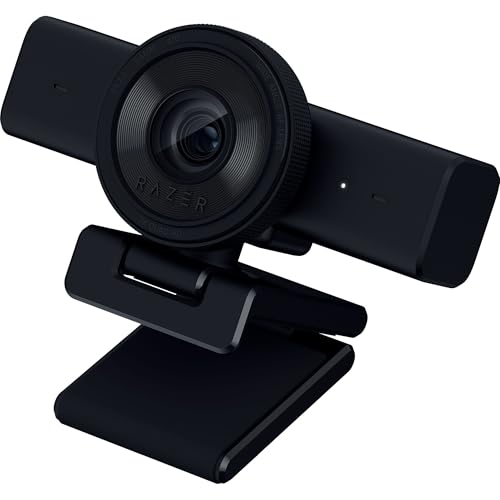
17. Best for 1440p 60 FPS gaming streams: Razer Kiyo V2 X Webcam
Pros
- 1440p at 60 FPS
- AI-powered auto-framing
- Includes a privacy cover
Cons
- The listing does not specify the sensor size.
The Razer Kiyo V2 X is a webcam that captures 1440p video at 60 FPS. It features AI-powered auto-framing, fast and accurate autofocus, a built-in microphone, a wide-angle lens, and a privacy cover. It is compatible with OBS, Discord, Zoom, and Teams.
Best for: Gamers and streamers who want a balance of high resolution (1440p) and smooth 60 FPS frame rates.
18. Best for flexible mounting with 360° swivel: AOC 4K Webcam

Pros
- 4K Ultra HD resolution
- 360° swivel and 180° tilt flexibility
- Includes physical sliding lens cover
Cons
- The listing does not specify the autofocus type.
This AOC webcam offers 4K Ultra HD video with an 80° field of view. It provides 180° tilt and 360° swivel rotation for flexible mounting on monitors, desks, or tripods. It includes a physical sliding lens cover for privacy and is plug-and-play with a USB C-A adapter included.
Best for: Users who need to frequently adjust their camera angle for different setups or shared spaces.
Compact & AI-Powered Streaming Cameras
Designed for streamers and content creators, these models feature AI tracking, auto-framing, and gesture controls.
19. Best for customizable AI tracking modes: OBSBOT Tiny 2 Lite 4K Webcam

Pros
- 4K at 60 FPS with HDR
- Multiple customizable AI tracking modes
- Official Esports World Cup 2026 partner
Cons
- The listing does not mention a built-in privacy cover.
The OBSBOT Tiny 2 Lite is a 4K webcam with a 1/2-inch sensor that streams at 60 FPS with HDR. It features multiple AI tracking modes (like upper body and hand tracking) and allows for customizable preset positions with separate parameters for each. It is an official partner of the Esports World Cup 2026.
Best for: Educators and meeting hosts who need versatile, customizable AI tracking for different scenarios.
20. Best compact webcam with AI framing: OBSBOT Meet 2 4K Webcam

Pros
- Compact design with 4K resolution
- AI framing and autofocus
- Official Esports World Cup 2025 partner
Cons
- The listing does not mention a built-in privacy cover.
The OBSBOT Meet 2 is a compact 4K webcam with a 1/2-inch CMOS sensor. It features AI framing and autofocus that dynamically adjusts composition, a beauty mode, and gesture control. It is the official camera partner for the 2025 Esports World Cup.
Best for: Users with limited desk space who want a small, colorful webcam with smart AI framing.
Full HD 1080p Webcams for Everyday Use
Reliable and straightforward, these 1080p webcams are great for standard video calls and meetings with plug-and-play simplicity.
21. Best 1080p webcam with wide-angle lens: Gohero Full HD 1080P Webcam

Pros
- Full HD 1080p resolution
- Noise-canceling microphone
- Includes a privacy cover
Cons
- Fixed focus (implied by 'wide-angle lens' and lack of autofocus mention).
The Gohero webcam offers Full HD 1080p video at 30 frames per second with a wide-angle lens. It has a noise-canceling built-in microphone, automatic light correction technology, and includes a privacy cover that slides over the lens.
Best for: Basic video calls and meetings where 1080p resolution and a privacy cover are sufficient.
22. Best for simple 1080p with a manual privacy shutter: Lenovo Essential FHD Webcam Gen 2

Pros
- Full HD 1080p resolution
- Dual built-in microphones
- Built-in manual privacy shutter
Cons
- Fixed field of view of 85°.
The Lenovo Essential FHD Webcam Gen 2 provides 1080p resolution at 30 fps with an 85-degree field of view. It has dual built-in microphones and a built-in manual privacy shutter you can slide closed. It tilts from -20 to 10 degrees and connects via USB-A.
Best for: Everyday video conferencing where a physical privacy shutter is a key requirement.
23. Best 1080p webcam with auto light correction: NIVEOLI 1080P Webcam

Pros
- 1080p Full HD video
- Dual noise-reducing microphones
- Built-in privacy cover and auto light correction
Cons
- Fixed focus.
The NIVEOLI webcam delivers 1080p Full HD video at 30 frames per second. It features dual noise-reducing digital microphones, automatic light correction, fixed focus, and includes a built-in privacy cover. It has an adjustable clip for monitors and is plug-and-play.
Best for: Users needing a reliable 1080p camera that automatically adjusts for poor lighting.
24. Best for 2K resolution and a wide 95° FOV: UGREEN 2K Webcam

Pros
- 2K and 1080p resolution
- 95° wide field of view
- Includes a privacy cover
Cons
- The listing does not specify the autofocus type.
The UGREEN webcam offers 2K resolution at 30FPS and 1080p HD, using a 4 MP CMOS sensor. It has dual integrated microphones, automatically adjusts light and color temperature, and features a 95° field of view. It includes a privacy cover and is plug-and-play.
Best for: Video calls where you want higher-than-1080p resolution and a wider field of view to show more content.
25. Best plug-and-play 1080p webcam with noise reduction: Acer A610 1080p Webcam

Pros
- 1080p Full HD
- Dual noise-reduction microphones
- Includes privacy cover and A-to-C adapter
Cons
- Fixed focus.
The Acer A610 is a 1080p Full HD webcam with a new CMOS sensor. It features dual noise-reduction microphones, fixed focus, a built-in privacy cover, and includes a USB-A to C adapter for plug-and-play connectivity without drivers.
Best for: Simple, driver-free setup for remote work or online meetings with clear audio.
26. Best travel-friendly basic 1080p webcam: Amazon Basics 1080p Webcam

Pros
- Full HD 1080p resolution
- Auto light correction
- Compact and travel-friendly design
Cons
- The listing does not mention a privacy cover or autofocus.
The Amazon Basics webcam provides Full HD 1080p resolution with auto light correction technology. It has a built-in microphone and a compact, lightweight design described as travel-friendly.
Best for: Professionals who need a simple, portable webcam for on-the-go video calls.
27. Best certified for Zoom and Microsoft Teams: Logitech C920e HD 1080p Webcam

Pros
- Certified for Zoom and Microsoft Teams
- Dual omnidirectional microphones
- Attachable privacy screen
Cons
- Fixed 78° field of view.
The Logitech C920e is an HD 1080p webcam certified for Zoom and Microsoft Teams. It has a 78° fixed field of view, two integrated omnidirectional microphones, built-in HD autofocus with automatic light correction, and an attachable privacy screen.
Best for: Enterprise and educational environments requiring certified compatibility with major conferencing platforms.
28. Best 1080p webcam with USB A & C adapter: EMEET C960 1080P Webcam (2025)

Pros
- 1080p resolution
- Includes USB-A and A-to-C adapter
- Comes with a privacy cover
Cons
- Fixed focus.
The EMEET C960 (2025 version) is a 1080p webcam with a 5-layer anti-glare lens. It features two built-in omnidirectional microphones, automatic light adjustment, and includes both a USB Type-A cable and an A-to-C adapter for wider compatibility. It comes with a privacy cover.
Best for: Users with newer laptops (USB-C) or older desktops (USB-A) who need flexible connectivity.
How to choose the best webcam
With so many options, the right webcam depends on how you plan to use it. For most professional meetings and streaming, 4K resolution provides the sharpest image, but a good 1080p webcam is often sufficient for everyday video calls. Pay attention to the sensor size listed (e.g., 1/2-inch, 1/1.3-inch); a larger sensor typically captures more light, leading to better performance in dim rooms. Autofocus technology is another key differentiator. Phase Detection Auto Focus (PDAF) is frequently mentioned for being faster and more stable than standard autofocus, which can prevent the blurry ‘hunting’ effect when you move.
Audio quality is just as important as video. Many webcams now include dual or noise-canceling microphones to filter out background sounds. If you’re in a noisy environment, look for listings that specify AI noise cancellation or directional pickup. For privacy, a physical sliding or flip cover is a simple and effective feature to look for. Finally, consider the field of view (FOV). A wider angle (like 90° or 95°) can show more of your room or fit multiple people, while a narrower one (like 75°) provides a more traditional, framed look. For more tips on setting up your workspace, see our Computer Accessories Guide.
What to look for
- Resolution & Sensor: 4K for ultimate clarity, 1080p for reliability. A larger sensor size (e.g., 1/1.3″) improves low-light video.
- Autofocus: Phase Detection Auto Focus (PDAF) offers faster, more stable focusing than standard autofocus.
- Audio: Dual or noise-canceling microphones help ensure your voice is heard clearly over background noise.
- Privacy & Design: A physical lens cover provides security. Consider the field of view (FOV) and mounting flexibility for your setup.
FAQ
Is a 4K webcam worth it?
For professional streaming, content creation, or high-stakes business meetings where image detail is critical, a 4K webcam can provide a noticeable improvement in clarity. For standard video calls and casual use, a good 1080p webcam is often more than sufficient and can be a more choice.
What does PDAF autofocus mean?
PDAF stands for Phase Detection Auto Focus. It’s a technology that allows the camera to focus much faster and more accurately than traditional contrast-detection autofocus. In practical terms, this means the image snaps into focus quickly when you move, reducing blur and the annoying ‘hunting’ effect where the picture goes in and out of focus.
Do I need a webcam with a built-in microphone?
Most modern webcams include built-in microphones, and for many users, they provide adequate audio quality for calls and meetings. However, if you are in a very noisy environment, are a serious streamer, or require studio-quality audio, you may want to consider a dedicated external microphone. Look for webcam listings that mention noise-canceling or directional microphones for better built-in audio performance.
What is a privacy cover and why is it important?
A privacy cover is a physical shutter or slide that blocks the webcam’s lens when not in use. It’s a simple mechanical way to ensure you cannot be seen through the camera, providing peace of mind against potential software hacking or accidental activation. Many webcams now include this as a built-in feature.
References
- Amazon product listings and manufacturer specifications (accessed October 2026)