Quick answer
Our overall pick is the Meidosa Transparent Wireless Mouse for its unique design and flexible tri-mode connectivity. The other picks suit users needing a silent travel mouse, advanced ergonomic features, seamless Apple integration, or a basic compact Bluetooth mouse.
Choosing the best wireless mouse depends on your preferred style, connectivity needs, and how you use your computer. We compared the manufacturer specifications from several listings to highlight options that cater to different priorities, from fun designs to productivity-focused features.
Whether you need a mouse for a desktop PC, a laptop on the go, or a specific operating system like macOS, understanding the listed specs for connection type, battery life, and special features can help you find a good match.
Our picks at a glance

Pros
- Unique rabbit-shaped transparent design with RGB lighting
- Flexible tri-mode connectivity (2.4GHz, Bluetooth, USB-C wired)
- Adjustable DPI up to 6400
- Rechargeable via USB-C
Cons
- Not compatible with Windows 7 per the listing
- Right-handed design only
- The listing does not mention a specific battery life in days

Pros
- Silent click technology
- Dual-mode connectivity (Bluetooth and 2.4GHz)
- Compact and ambidextrous design
- Rechargeable battery
Cons
- Cannot use both connection modes at the same time
- Lower maximum DPI (1600) compared to others
- The listing does not mention the exact material

Pros
- Advanced ergonomic design for right hands
- Customizable haptic feedback and shortcuts
- High maximum DPI of 8000
- Long battery life (up to 70 days per listing)
Cons
- Right-handed design only
- Higher number of buttons may have a learning curve
- The listing does not mention the exact battery capacity
Pros
- Seamless pairing and integration with Mac
- Multi-touch surface for gestures
- Rechargeable with long battery life
- Sleek, minimalist design
Cons
- Bluetooth-only connectivity (no USB receiver option)
- The listing does not mention DPI sensitivity
- The listing does not mention compatibility with Windows or Android

Pros
- Silent clicks
- Very long battery life (18 months per listing)
- Compact, ambidextrous design
- Wide OS compatibility including Chrome OS and Linux
Cons
- Lower maximum DPI (1000)
- Uses a disposable AAA battery (included)
- Only three buttons
How we chose
We compared manufacturer listings and specifications on Amazon as of October 2026. We did not test or use these products hands-on. Our comparisons are based on the features and specs provided by the manufacturers in their listings.
The criteria we focused on included connectivity options (like Bluetooth, 2.4GHz wireless, or wired USB), battery type and life, maximum DPI sensitivity, special features such as silent clicks or RGB lighting, and stated compatibility with operating systems and devices.
Best Wireless Mice: our picks in detail
1. Best overall wireless mouse: Meidosa Transparent Wireless Mouse
The Meidosa mouse stands out with its rabbit-shaped transparent design and RGB lighting. It offers three connection modes: 2.4GHz wireless via a USB dongle, Bluetooth, and a wired USB-C connection for flexibility. It has an adjustable DPI up to 6400 and a built-in 400mAh rechargeable battery.
The listing states it is compatible with Windows, iOS, and Android devices, including PCs, Macs, iPads, and iPhones. It is a right-handed mouse with six buttons and features optical movement detection. The listing does not mention Windows 7 compatibility.
Best for: Users who want a unique, eye-catching design with versatile tri-mode connectivity for multiple devices.
Pros
- Unique rabbit-shaped transparent design with RGB lighting
- Flexible tri-mode connectivity (2.4GHz, Bluetooth, USB-C wired)
- Adjustable DPI up to 6400
- Rechargeable via USB-C
Cons
- Not compatible with Windows 7 per the listing
- Right-handed design only
- The listing does not mention a specific battery life in days
2. Best for quiet travel: Afaartcci Rechargeable Silent Mouse
The Afaartcci mouse is a compact, ambidextrous model featuring silent click technology. It connects via dual modes: Bluetooth 5.2/3.0 to one device and 2.4GHz wireless via a stored USB receiver to another, though not simultaneously. It has a 500mAh rechargeable battery.
It features colorful LED breathing lights and has a maximum DPI of 1600. The listing states it is compatible with a wide range of operating systems including Windows, Mac, Linux, and Chrome OS, and works with computers, laptops, and tablets.
Best for: Travelers or office workers who need a quiet, portable mouse that can switch between two devices.
Pros
- Silent click technology
- Dual-mode connectivity (Bluetooth and 2.4GHz)
- Compact and ambidextrous design
- Rechargeable battery
Cons
- Cannot use both connection modes at the same time
- Lower maximum DPI (1600) compared to others
- The listing does not mention the exact material
3. Best for ergonomic productivity: Logitech MX Master 4
The Logitech MX Master 4 is an ergonomic wireless mouse designed for right-handed users. It features a customizable Haptic Sense Panel, an Actions Ring for app-specific shortcuts, and a MagSpeed scroll wheel. It connects via Bluetooth or a USB-C dongle.
It has seven programmable buttons, quiet clicks, and a maximum DPI of 8000. The listing cites a battery life of up to 70 days. It is compatible with Windows, macOS, iPadOS, Android, Chrome OS, and Linux.
Best for: Professionals seeking an advanced, ergonomic mouse with customizable controls and haptic feedback for productivity.
Pros
- Advanced ergonomic design for right hands
- Customizable haptic feedback and shortcuts
- High maximum DPI of 8000
- Long battery life (up to 70 days per listing)
Cons
- Right-handed design only
- Higher number of buttons may have a learning curve
- The listing does not mention the exact battery capacity
4. Best for Mac users: Apple Magic Mouse
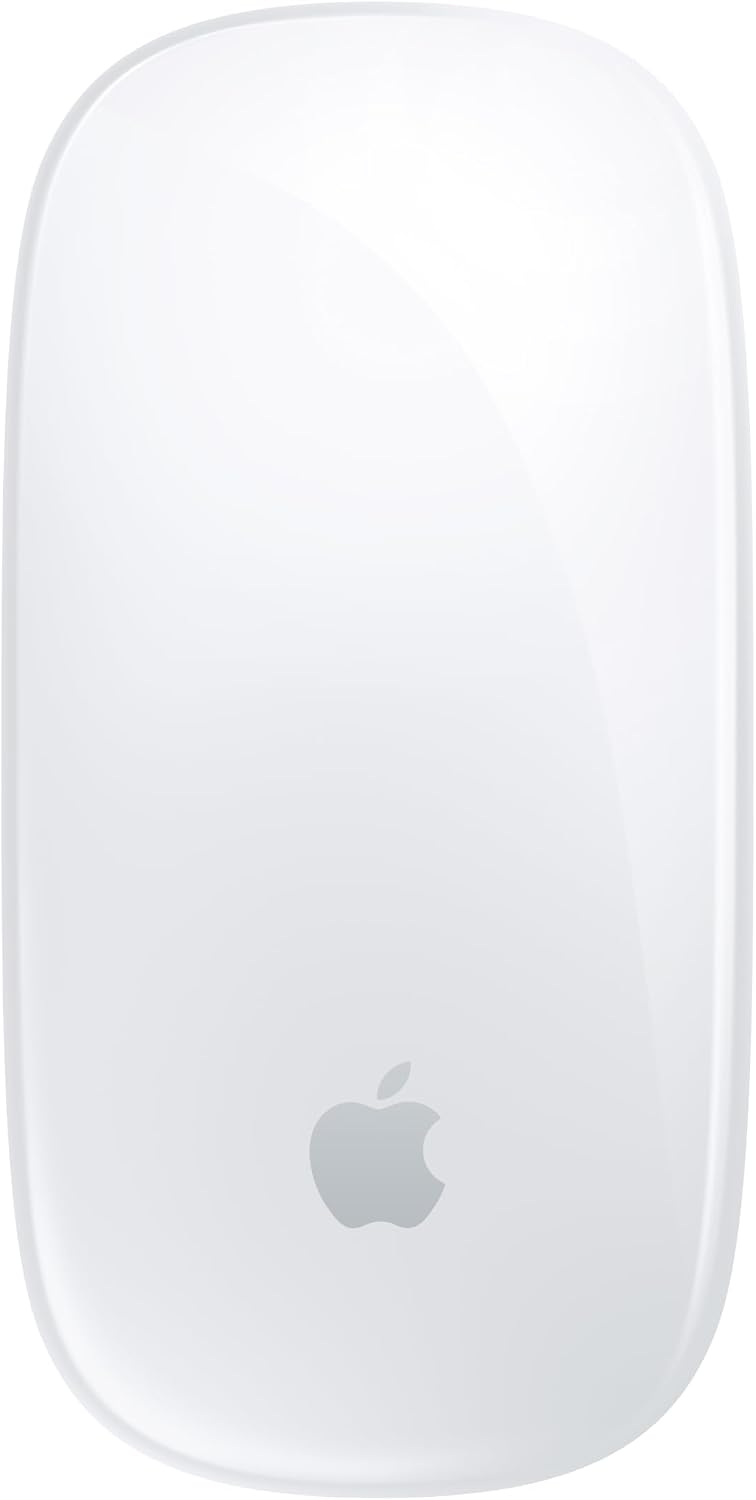
The Apple Magic Mouse is a wireless, rechargeable mouse with a multi-touch surface for gestures like scrolling and swiping. It connects via Bluetooth and pairs automatically with Macs. It includes a woven USB-C cable for pairing and charging.
The listing states the rechargeable battery lasts about a month or more between charges. It uses optical movement detection technology. Its special features include a touch scroll surface and a lightweight, portable design.
Best for: Mac users who want seamless integration, a multi-touch surface, and a minimalist Apple design.
Pros
- Seamless pairing and integration with Mac
- Multi-touch surface for gestures
- Rechargeable with long battery life
- Sleek, minimalist design
Cons
- Bluetooth-only connectivity (no USB receiver option)
- The listing does not mention DPI sensitivity
- The listing does not mention compatibility with Windows or Android
5. Best basic compact Bluetooth mouse: Logitech M240 Silent Mouse
The Logitech M240 is a compact, silent, ambidextrous Bluetooth mouse. It features 90% reduced click noise and has an 18-month battery life from a single AAA battery. It works up to 33 feet away via Bluetooth.
It has a maximum DPI of 1000 and is compatible with Windows, macOS, Linux, Chrome OS, iPadOS, and Android. The enclosure includes certified post-consumer recycled plastic. It has three buttons and is designed for portability.
Best for: Anyone needing a simple, quiet, and portable Bluetooth mouse with long battery life for travel.
Pros
- Silent clicks
- Very long battery life (18 months per listing)
- Compact, ambidextrous design
- Wide OS compatibility including Chrome OS and Linux
Cons
- Lower maximum DPI (1000)
- Uses a disposable AAA battery (included)
- Only three buttons
Wireless mice at a glance
| Model | Connection Modes | Max DPI | Battery | Special Features |
|---|---|---|---|---|
| Meidosa Transparent | 2.4GHz, Bluetooth, USB-C | 6400 | 400mAh rechargeable | RGB lights, rabbit design |
| Afaartcci Silent | Bluetooth, 2.4GHz | 1600 | 500mAh rechargeable | Silent clicks, LED lights |
| Logitech MX Master 4 | Bluetooth, USB dongle | 8000 | Rechargeable (70 days) | Haptic feedback, ergonomic |
| Apple Magic Mouse | Bluetooth | Not listed | Rechargeable (~1 month) | Multi-touch surface |
| Logitech M240 | Bluetooth | 1000 | AAA (18 months) | Silent, compact, recycled materials |
How to choose a wireless mouse
When looking for the best wireless mouse, the first decision is often between a dedicated USB receiver (often called 2.4GHz) and Bluetooth. A USB dongle can offer a strong, dedicated connection, while Bluetooth is convenient for laptops and tablets that may have limited ports. Some mice, like our overall pick, offer both plus a wired USB option for maximum flexibility. For more on this, see our guide on wired vs. wireless computer mice.
Consider how you’ll use the mouse. For all-day use at a desk, an ergonomic shape like the Logitech MX Master 4’s can reduce hand strain. For travel or quiet spaces like libraries, a compact and silent mouse like the Afaartcci or Logitech M240 is practical. If you use multiple computers, a mouse that can pair with two devices, even if not simultaneously, can simplify your setup.
Check the listed compatibility with your operating system. Most modern mice work with Windows, macOS, and Chrome OS, but some, like the Apple Magic Mouse, are optimized for a specific ecosystem. Also, note the power source: rechargeable mice are convenient, while models with long-life disposable batteries mean you never need to remember a cable.
What to look for
- Connectivity: Do you need Bluetooth, a USB receiver, or both?
- Comfort: Is it ambidextrous or shaped for right/left hands? Consider size and grip.
- Battery Life: Is it rechargeable or uses disposable batteries? Check the listed runtime.
- Special Features: Do you want silent clicks, extra buttons, high DPI for precision, or RGB lighting?
FAQ
What’s the difference between a 2.4GHz wireless mouse and a Bluetooth mouse?
A 2.4GHz wireless mouse uses a small USB receiver (dongle) that plugs into your computer’s USB port to create a dedicated connection. A Bluetooth mouse connects directly to your computer’s built-in Bluetooth radio, freeing up a USB port. Some mice offer both options for greater flexibility.
Can I use a wireless mouse with both a PC and a Mac?
Many wireless mice are compatible with multiple operating systems, including Windows, macOS, Chrome OS, and Linux. Always check the manufacturer’s listed compatibility in the product specifications to confirm it works with your specific devices.
How long do wireless mouse batteries typically last?
Battery life varies greatly. Rechargeable mice may last from several days to over two months on a charge, as listed by the manufacturer. Mice using disposable AA or AAA batteries can last for many months, sometimes over a year, depending on usage. Look for specs like “battery average life” in the listing.
What is DPI, and why does it matter?
DPI (dots per inch) refers to mouse sensitivity—how far the cursor moves relative to physical mouse movement. A higher DPI setting means the cursor moves farther with less physical movement, which can be useful for large monitors or detailed tasks. Many mice allow you to adjust DPI to your preference.
References
- Amazon product listings and manufacturer specifications (accessed October 2026)
- Gadget Sleuth: Mice category
- Gadget Sleuth: Wired vs Wireless Computer Mouse: Pros and Cons
- Bluetooth Technology Website