By Lauren Holland
Updated November 2026
A power bank for iPhone is a portable battery that tops up your phone when no wall outlet is nearby. This guide shows you how to match a power bank to your iPhone model, connect it correctly, and get the fastest, safest charge possible. You will also learn the mistakes that waste capacity and shorten battery life.
Step 1: Check Your iPhone’s Charging Port and Speed
Most iPhones released since 2023 use USB-C, while older models use Lightning. Check the port on your phone before buying or packing a cable. Apple’s specifications list the maximum wired fast-charge rate for each model, and that number sets the ceiling for how quickly any power bank can refill your phone.
Shopping for one? See our guide: 6 Best Jackery Power Bank 20000 mAh Options for Travel and Everyday Use (2026).
Step 2: Choose the Right Power Bank Output and Cable
Look for a USB-C Power Delivery (PD) output rated at 20W or higher if your iPhone supports it. Lower-wattage ports still work, but they charge more slowly and may run warm for longer. Pair the bank with a cable rated for the same wattage, since a thin, low-quality cable can cap the speed no matter what the bank advertises.
Step 3: Connect and Charge Correctly
- Confirm the power bank is charged enough to deliver power, usually at least half full.
- Plug the cable into the bank first, then into your iPhone.
- Watch for the charging indicator on the iPhone screen to confirm current is flowing.
- Keep the phone in a cool spot. Charging speeds drop when the device heats up.
Understanding Capacity Loss
A power bank rated at 10,000mAh does not deliver 10,000mAh to your phone. Voltage conversion and heat typically cost around 20 to 30 percent of the stated capacity, so expect roughly 7,000 to 8,000mAh of usable charge. Plan your top-ups with that number in mind.
Factors That Affect Charging Speed
| Factor | Effect on Charging |
|---|---|
| Output wattage | Higher wattage allows faster charging on supported iPhones |
| Cable quality | Weak cables limit current and can cause intermittent charging |
| Phone use while charging | Gaming or video calls slow the charge and generate heat |
| Ambient temperature | Hot environments trigger throttling to protect the battery |
Common Mistakes to Avoid
- Using a Lightning cable with a USB-C-only bank without checking adapters first.
- Leaving the bank in a hot car, which can degrade its cells over time.
- Assuming the bank’s advertised capacity equals usable charge.
- Charging the bank and the phone at the same time when the phone is already near full.
Recommended Gear
A certified USB-C to USB-C cable rated for higher wattage helps your iPhone reach its fastest supported charging speed. View on Amazon
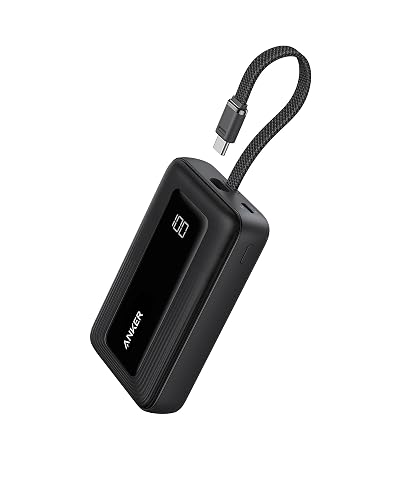
A compact USB-C power bank with Power Delivery output suits daily carry and matches most modern iPhones. View on Amazon
A short, flexible cable makes it easier to use the bank while the phone sits on a desk or nightstand. View on Amazon
For background on how these batteries store and release energy, see How Power Bank Charge Works: A Step-by-Step Guide for Beginners. If you are still choosing a bank, How to Choose a Power Bank: Capacity and Key Features covers the specs that matter most. For the connector and charging standards, USB-C Chargers, Power Banks and Wireless Chargers Explained is a useful reference.
FAQ
Will any power bank charge my iPhone?
Most power banks with a USB output will charge an iPhone, but speed depends on the port type and wattage. Banks with USB-C Power Delivery generally give the fastest results on newer models.
Can I charge my iPhone and the power bank at the same time?
Many banks support pass-through charging, but it can slow both devices and generate heat. Charge the bank fully first when possible.
How often should I recharge my power bank?
Keeping the bank between about 20 and 80 percent helps preserve its battery health. Recharge it after each trip rather than letting it sit empty for long periods.
Conclusion
A power bank for iPhone works best when you match its output to your phone’s port and charging speed. Use a quality cable, keep both devices cool, and account for real usable capacity. Follow these steps and your battery will stay ready when you need it.
Related reading
Ready to choose one?
About Lauren Holland
Lauren Holland is part of our editorial team and reviews and edits our consumer tech how-to & troubleshooting guides, checking product details against manufacturer specifications and owner feedback.