 By Lauren Holland
Updated November 2026
A phone charger port that is loose usually means the cable wobbles, charges only at certain angles, or disconnects when you bump it. In most cases you can find the cause in about 15 minutes: check for debris, test the cable, and inspect the port for physical damage. This guide walks through each step so you can tell whether the fault is in the port, the cable, the adapter, or the phone’s internal connector, and what to do about it.
Start With the Symptoms: What “Loose” Actually Means
“Loose” can describe several different problems, and each points to a different fix. Before you start taking anything apart, pin down which one you are dealing with.
Shopping for one? See our guide: 6 Best Phone Charger Cords iPhone Buyers Should Considers in 2026.
- Wobble: The cable moves side to side or up and down inside the port with little resistance.
- Intermittent charging: The phone charges when the cable sits at one angle and stops when you move it.
- Slipping out: The cable drops out with light tugging or when the phone is placed on a table.
- Charging only when held: You have to hold the cable in place for charging to continue.
Wobble with no other symptoms is often normal wear on a lightweight cable. Intermittent charging, slipping, or holding is where debris, a worn cable, or a damaged port is most likely.
Step 1: Rule Out the Cable and Adapter
The cable is the most common culprit, and it is the cheapest thing to test. A cable with a worn connector head or a bent metal shell will feel loose in any port, including a perfectly good one. For a broader look at cable failure modes, see Cell Phone Charger Cord Guide: How to Pick and Fix One (2026).
Quick cable test
- Plug the cable into a different phone, if you have one, and see whether the looseness follows the cable.
- Try a different cable on your phone. If the new one seats firmly, the original cable is the problem.
- Look at the connector for bent prongs, a cracked housing, or metal shell that no longer sits flat.
- Check the wall adapter. A loose or damaged brick can make the whole setup feel unstable, but it will not make the port itself loose.
Step 2: Clean the Port Properly
Lint, pocket dust, and dried debris are the most common cause of a port that feels loose or charges inconsistently. Packed lint can keep the connector from seating fully, so the contact pins never make solid contact. Phone manufacturers generally advise against inserting sharp or metal objects into the port, since they can short the contacts or scratch the plating.
Tools you need
- A wooden or plastic toothpick (never metal)
- A soft-bristle anti-static brush
- A bright LED flashlight or phone light
- Compressed air in short bursts, held upright
Cleaning method
- Power the phone off before cleaning.
- Shine the light into the port and look for lint, grit, or dark residue on the pins.
- Use the brush to loosen debris, then gently scrape with the toothpick. Work slowly to avoid pushing lint deeper.
- Blow out loose material with short bursts of compressed air, angled away from the speaker and microphone openings.
- Reinsert the cable and check whether it seats with a firm click or sits securely.
If the looseness improves after cleaning, you have found the cause. Make cleaning a habit every month or two, especially if you carry your phone in a pocket with keys or coins.
Step 3: Inspect the Port for Physical Damage
If cleaning and a new cable do not help, the port itself may be worn. Look for these signs:
| What you see or feel | Likely cause | Next step |
|---|---|---|
| Cable fits but rocks side to side | Worn contact springs or enlarged port opening | Repair shop assessment |
| Charging stops when phone is bumped | Cracked solder joint or loose board connection | Professional repair |
| Pins look bent or discolored | Liquid exposure or impact | Stop using the port, get a diagnosis |
| Port is bent outward or the surround is cracked | Drop damage | Repair or replacement |
| Phone gets warm while charging | Poor contact causing resistance | Stop charging, get it checked |
Warm charging is a safety issue. Stop charging the phone and have a qualified technician check it rather than continuing to use it.
Step 4: Decide Whether to Repair or Replace
A charging port replacement is a common repair, but it involves soldering and reassembly on a sealed device. Many owners find that an authorized service center or a reputable independent shop is the safer choice, especially if the phone is under warranty. Before paying for a repair, check whether your device is still covered, since some manufacturer warranties and accidental damage plans include charging port faults.
If the phone is older and you are considering a different device, you may prefer to upgrade. For buyers comparing options, 8 Best Phone Charger USB C Picks Worth Considering in 2026 covers the connector types you are likely to encounter.
Preventing a Loose Port From Coming Back
- Use cables with reinforced strain relief at both ends.
- Avoid forcing a connector in at an angle.
- Keep the port covered or clean when you travel with your phone.
- Replace cables once the connector shows bending or fraying.
If you use a car setup, a wireless option can take strain off the port entirely. See Wireless Phone Charger for Car: How to Choose, Mount and Use One (2026) for mounting and compatibility notes.
Common Mistakes
- Using metal pins or paperclips to clean the port. These can short contacts or scratch plating. Stick to wood, plastic, and air.
- Blaming the port before testing the cable. A worn cable causes the same symptoms and costs far less to replace.
- Ignoring warmth during charging. Heat often signals poor contact that can worsen quickly.
- Cleaning with a dry cotton swab that leaves fibers behind. Lint-free options are safer.
- Charging with a damaged port for weeks. A small looseness can turn into a dead connection.
Recommended gear
A small set of basic tools handles most cleaning and diagnosis. These items are widely available and do not require any technical background.
- Anti-static cleaning brush: Loosens dust without scratching the port lining. View on Amazon
- Compressed air duster: Blows out lint from the pins when used in short, upright bursts. View on Amazon
- Plastic port cleaning pick kit: Safer than metal and designed for pocket lint removal. View on Amazon
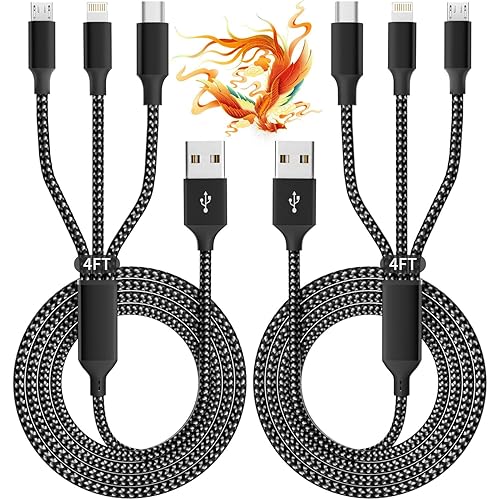
- Replacement USB-C cable with strain relief: Useful for ruling out the cable in your diagnosis. View on Amazon
FAQ
Why is my phone charger port loose all of a sudden?
A sudden change usually points to debris packed into the port or a cable that has become worn at the connector. Check with a light first, then test a known-good cable.
Can a loose charger port cause a battery to drain faster?
Yes, indirectly. Intermittent contact can cause the phone to stop and start charging, which may leave the battery at a lower level than expected. It will not damage the battery by itself, but repeated poor contact can generate heat, which is a reason to stop and check.
Is it safe to keep charging with a loose port?
It is best to avoid it. If the phone gets warm, smells unusual, or the connection keeps dropping, stop charging and have it inspected.
Should I use a toothpick or a paperclip to clean the port?
Use a wooden or plastic toothpick. Metal can damage the contacts or create a short.
Will a new cable fix a loose port?
Only if the old cable was the source of the looseness. If the new cable also feels loose in the port, the port itself is likely the issue.
Does a loose port void my warranty if I clean it?
Gentle external cleaning with a brush or air duster does not normally affect warranty coverage. Opening the device or using metal tools to force debris out could complicate a claim, so check your manufacturer’s terms if you are unsure.
How often should I clean my phone’s charging port?
Every month or two is a reasonable schedule for most people, and more often if you carry your phone in a pocket or bag with loose items.
When should I see a professional?
See a professional if the port is physically damaged, the phone heats up while charging, the cable still feels loose after cleaning and replacement, or the phone does not charge at all.
Conclusion
A phone charger port loose problem is usually solved by checking the cable, cleaning debris, and inspecting for physical damage, in that order. Work through the steps above to confirm the cause before spending money on repairs. If the port is damaged or the phone runs warm while charging, stop and consult a qualified repair technician.
Related reading
- Top 6 Charge Card Phone Charger Picks for Everyday Carry (2026)
- Phone Charger iPhone SE: How to Choose and Use the Right One
- Phone Charger iPhone 4: How to Choose and Use the Right One
Ready to choose one?
About Lauren Holland
Lauren Holland is part of our editorial team and reviews and edits our consumer tech how-to & troubleshooting guides, checking product details against manufacturer specifications and owner feedback.