
 By Colin Foster
Updated November 2026
Looking for a microsoft surface tablet pro 4 but not sure which version fits your work or study habits? This guide compares four current options, from a renewed Surface Pro 4 to newer Surface models in the same tablet family. Each pick was judged on its specifications, the reputation of the model line, and the patterns owners commonly report about battery life, keyboard use, and long-term reliability. Pricing is left out on purpose, so you can check current listings yourself.
Our top picks at a glance
- 1
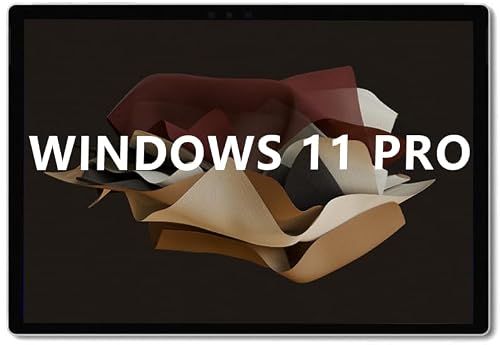 TOP CHOICEBest overallMicrosoft Surface Pro 4 Touchscreen Tablet (Renewed)View on Amazon
- 2
 Best for light everyday useSurface Pro 4 Tablet PC (Renewed)View on Amazon
- 3
 Best for Copilot+ featuresMicrosoft Surface Pro 2-in-1 Laptop/Tablet (2025)View on Amazon
- 4
 Best for portabilityMicrosoft Surface Go 4 TabletView on Amazon
Our Top Picks
Quick Comparison
| Product | Best for | Key feature |
|---|---|---|
| Microsoft Surface Pro 4 Touchscreen Tablet (Renewed) | Students and general productivity on a budget | Core i5 processor with 128GB SSD |
| Surface Pro 4 Tablet PC (Renewed) | Light note-taking and web browsing | Fanless Core M3 design |
| Microsoft Surface Pro 2-in-1 Laptop/Tablet (2025) | Users who want the newest Windows AI features | Snapdragon X Plus with 16GB RAM |
| Microsoft Surface Go 4 Tablet | Travel and very light mobile use | 10.5-inch display and compact body |
Microsoft Surface Pro 4 Touchscreen Tablet (Renewed)
Amazon Renewed12.3" (2736 X 1824) Notebook, Core i5-6300U, 4GB RAM, 128GB SSD, CAM, Windows 11 Pro Microsoft Surface Pro 4 Touchscreen Tablet(Renewed)
Best for: Students and general productivity on a budget
This is the most direct match for someone searching for a microsoft surface tablet pro 4. It runs a full version of Windows 11 Pro and handles office documents, email, video calls, and multiple browser tabs without strain. Renewed units are a sensible budget route, though condition should be checked carefully before buying.
Key specs
- 12.3-inch touchscreen, 2736 x 1824 resolution
- Intel Core i5-6300U processor
- 4GB RAM
- 128GB SSD storage
- Windows 11 Pro
Pros
- Full x86 Windows compatibility for desktop software
- Sharp high-resolution screen suited to reading and sketching
- Works with the Surface Pen and Type Cover accessories
Cons
- 4GB RAM limits heavy multitasking with many large files open
- Renewed condition varies, so battery health and cosmetic wear need checking
Bottom line: The best fit for anyone who wants the classic Surface Pro 4 experience with full desktop Windows software and does not need heavy multitasking.
Surface Pro 4 Tablet PC (Renewed)
Amazon Renewed Surface Pro 4 Tablet PC, 12.3" (2736 X 1824) Touchscreen Notebook, Core M3-6Y30, 4GB RAM, 128GB SSD, CAM, Windows 11 Pro (Renewed)
Best for: Light note-taking and web browsing
This listing uses the lower-power Core M3 processor, which suits people who mostly read, browse, and write. It is quieter and runs cooler than the Core i5 version because it has no fan, which many users appreciate in a tablet used on the couch or in bed.
Key specs
- 12.3-inch touchscreen, 2736 x 1824 resolution
- Intel Core M3-6Y30 processor
- 4GB RAM
- 128GB SSD storage
- Windows 11 Pro
Pros
- Fanless design runs silently
- Lighter overall feel in the hand
- Same high-resolution display as the Core i5 model
Cons
- Core M3 is slower for video editing and demanding apps
- Same 4GB memory ceiling, so it suits fewer open programs
Bottom line: A good pick for casual users who want a quiet, light Surface and will not run intensive software.
Microsoft Surface Pro 2-in-1 Laptop/Tablet (2025)
Microsoft Surface Pro 2-in-1 Laptop/Tablet (2025), Windows 11 Copilot+ PC, 12" Touchscreen Display, Snapdragon X Plus (8 Core), 16GB RAM, 256GB Storage, Platinum
Best for: Users who want the newest Windows AI features
This is the newest model on the list and the only one with a Copilot+ PC designation. It suits users who want current Windows features and longer-term software support rather than a refurbished older chassis. The 16GB memory figure gives it far more headroom than the older Pro 4 units.
Key specs
- 12-inch touchscreen display
- Snapdragon X Plus processor, 8 cores
- 16GB RAM
- 256GB storage
- Windows 11 Copilot+ PC
Pros
- Much more memory for multitasking than the Pro 4 models
- Copilot+ features and current Windows support
- Larger storage capacity out of the box
Cons
- Arm-based processor may not run some older x86-only desktop programs
- Its newer design means it is less of a direct match for buyers who specifically want a Pro 4
Bottom line: Choose this if you want the most capable and up-to-date Surface in this list and can confirm your software works on Arm-based Windows.
Microsoft Surface Go 4 Tablet
Microsoft Surface Go 4 Tablet – 10.5" – 8 GB – 128 GB Storage – Windows 11 Pro – Platinum
Best for: Travel and very light mobile use
The Surface Go 4 is a smaller, lighter tablet aimed at mobile work, reading, and video. It is not a replacement for a full-size Pro for heavy tasks, but it is easy to carry and works well as a second device or a travel companion.
Key specs
- 10.5-inch display
- 8GB RAM
- 128GB storage
- Windows 11 Pro
Pros
- Compact and light for carrying in a bag
- Full Windows 11 Pro environment
- More RAM than the Pro 4 renewed listings
Cons
- Smaller screen is less comfortable for extended document work
- Owners often report that it feels slower under heavy workloads
Bottom line: Pick this if portability matters more than screen size and you mainly need browsing, email, and light office tasks.
Buying Guide
Processor and Performance
Check the processor line first. Core i5 chips handle multitasking better than Core M3 chips, while newer Snapdragon processors offer different efficiency tradeoffs. If you run Windows desktop software, confirm it supports the processor architecture before buying.
Good picks for this: Microsoft Surface Pro 4 Touchscreen Tablet (Renewed), Microsoft Surface Pro 2-in-1 Laptop/Tablet (2025)
Memory and Storage
Four gigabytes of RAM is workable for light tasks but tight for many open programs. Eight gigabytes or more gives comfortable headroom. For storage, 128GB fills quickly with large files, so consider an external drive or cloud storage if you work with media.
Good picks for this: Microsoft Surface Pro 2-in-1 Laptop/Tablet (2025), Microsoft Surface Go 4 Tablet
Screen Size and Resolution
The Pro 4 line uses a 12.3-inch display, which suits reading and sketching. The Go 4 at 10.5 inches is more compact but offers less workspace. Higher resolution helps text look crisp at normal viewing distances.
Good picks for this: Surface Pro 4 Tablet PC (Renewed), Microsoft Surface Go 4 Tablet
Size, Weight and Portability
Consider how often you carry the device. A tablet used at a desk benefits from a larger screen, while one that travels daily should be lighter. Measure your bag before choosing.
Good picks for this: Microsoft Surface Go 4 Tablet, Surface Pro 4 Tablet PC (Renewed)
Use Case and Software Compatibility
If you rely on older desktop applications, confirm whether they run on Arm-based Windows. Standard Windows software generally works on x86 processors, which the Pro 4 line uses. Match the hardware to the programs you use every day.
Good picks for this: Microsoft Surface Pro 4 Touchscreen Tablet (Renewed), Microsoft Surface Pro 2-in-1 Laptop/Tablet (2025)
Condition and Battery Health (Renewed Units)
Renewed devices vary in condition. Ask the seller about battery health, check for screen defects, and confirm the warranty terms. Battery wear is one of the most commonly reported issues on older tablets, so it deserves close attention.
Good picks for this: Microsoft Surface Pro 4 Touchscreen Tablet (Renewed), Surface Pro 4 Tablet PC (Renewed)
Durability and Care
Tablets are handled often and can be dropped. A protective case and screen protector reduce risk. Keep vents clear to prevent overheating, and avoid charging with damaged cables. For charging, see our guide on Windows Surface Tablet Charger: How to Choose and Test One (2026).
Good picks for this: Microsoft Surface Go 4 Tablet, Microsoft Surface Pro 2-in-1 Laptop/Tablet (2025)
FAQ
Is the Surface Pro 4 still worth buying?
It can be, especially for users who need full Windows software and want a lower-cost route. Newer Surface models offer more memory and current Windows features, so compare your needs against both options.
Which processor should I choose?
Core i5 is better for multitasking and productivity. Core M3 is better for quiet, light use. Snapdragon models suit users who want the newest features and can confirm app compatibility.
Does the Surface Pro 4 support a keyboard and pen?
Yes, Pro 4 models are designed to work with Surface Type Covers and the Surface Pen. For keyboard options, see Microsoft Surface Pro Tablet Keyboard: 5 Best Picks Compared.
Why does my Surface tablet keyboard stop working?
Common causes include connection issues, driver problems, or power settings. Try restarting, reconnecting the cover, and updating drivers. Our guide on Surface Tablet Keyboard Not Working: 6 Fixes That Work (2026) covers the main steps.
How do I choose the right Surface model overall?
Start with your main tasks, then compare memory, processor, and screen size. For a wider overview, read Microsoft Surface Tablet Computer: How to Choose the Right One (2026).
Is a renewed Surface a safe purchase?
It can be if you buy from a reputable seller with a clear return policy and warranty. Check battery health and physical condition before paying.
Conclusion
For most people searching for a microsoft surface tablet pro 4, the renewed Pro 4 with a Core i5 processor is the closest match to the original experience. Choose the Core M3 version if you want quiet, light use. Pick the newer 2025 Surface if you need more memory and current Windows features. The Surface Go 4 suits buyers who put portability first. Match the model to your daily software and carrying habits, and the choice becomes straightforward.
Sources
- Guidance on battery care, charging habits and how heat affects lithium-ion battery life (energy.gov)
- Consumer safety recalls and charging hazard warnings for portable electronics (cpsc.gov)
- Standards and research on processor architecture and computing performance
Related reading
About Colin Foster
Colin Foster is part of our editorial team and reviews and edits our consumer tech how-to & troubleshooting guides, checking product details against manufacturer specifications and owner feedback.


