 By Lauren Holland
Updated November 2026
An emergency charger for phone use is a portable battery pack that keeps your device alive when the grid goes down, you are stuck without an outlet, or you are simply away from home for a long day. This guide walks you through how to size the battery, match the ports to your phone, check the charging speed, and keep the pack ready so it works when you need it. By the end, you will know exactly what to look for and how to test your setup before a real emergency.
Step 1: Work Out How Much Charge You Actually Need
Start with the number that matters most: how many full phone charges you want in reserve. Battery capacity is measured in milliamp-hours (mAh), and most phone batteries fall somewhere between roughly 3,000 and 5,500 mAh. Because charging is never perfectly efficient, a pack rated at 10,000 mAh usually delivers about 6,000 to 7,000 mAh of usable energy to a phone. That is often enough for one to one-and-a-half full charges.
Use this rough sizing guide:
- One full charge, day trip or short outage: 5,000 to 10,000 mAh
- Two to three charges, multi-day outage: 20,000 mAh
- Household backup for several phones: 26,000 mAh or more, or a larger power station
Check your phone’s battery capacity in its spec sheet, then divide the pack’s rated mAh by that number and multiply by about 0.6 to estimate real-world charges. A 20,000 mAh pack for a 4,500 mAh phone works out to roughly three charges in practice.
Step 2: Match the Ports and Power Delivery to Your Phone
Port type decides whether you can charge at full speed or whether you are stuck at a trickle. Most modern phones use USB-C, while older iPhones use Lightning. Look for these details:
- USB-C Power Delivery (PD): Needed for fast charging on recent iPhones and many Android phones. Check that the pack lists PD and a wattage of at least 20W.
- Output wattage: A 20W output will charge most current phones well. Higher-wattage ports help if you also want to charge a tablet or laptop.
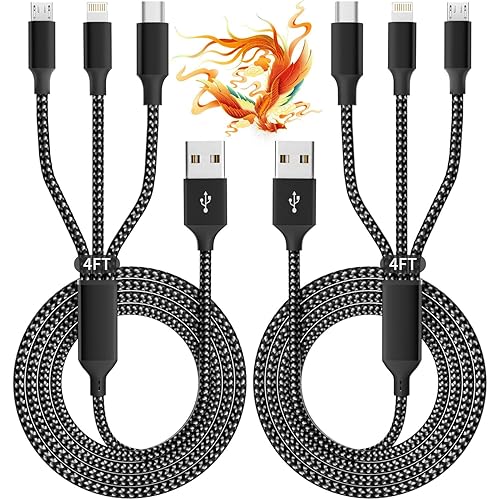
- Built-in cables: Some packs include a short cable. Confirm it matches your phone, or carry a known-good cable of your own.
- Input speed: A pack that takes 12 to 20 hours to recharge is hard to keep ready. Look for PD input so you can refill it in a few hours from a wall outlet or car adapter.
Step 3: Choose the Right Form Factor for Your Situation
The best emergency charger for phone use depends on where you will be when you need it. Think through these scenarios:
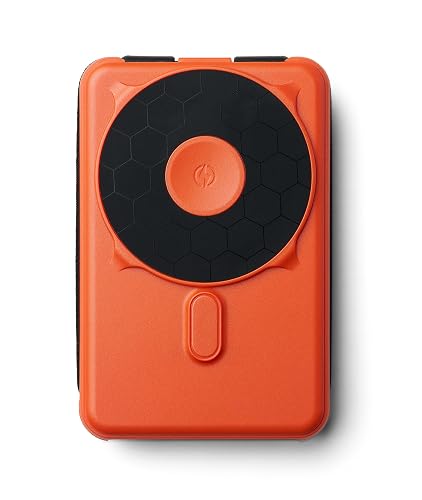
- Everyday carry: Slim packs under about 5,000 mAh fit a pocket or small bag and cover a partial charge.
- Home outages: Larger packs or portable power stations keep phones, lights and a router running longer, and many can also run small appliances.
- Outdoor and travel use: Solar-capable panels or rugged, water-resistant packs suit camping and hiking. The 5 Best Solar Mobile Phone Charger Picks for Camping and Emergencies (2026) roundup covers this category in more depth.
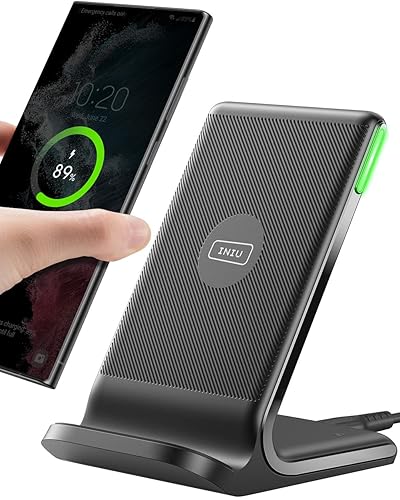
- Car emergencies: A 12V car adapter with USB-C PD can top up your phone while you wait for help. Pair it with a charging mount if you often drive long distances. See Wireless Phone Charger for Car: How to Choose, Mount and Use One (2026) for setup tips.
Step 4: Check Safety Features and Build Quality
Battery packs store a lot of energy in a small space, so safety certifications matter. Look for protections such as over-current, over-voltage, over-temperature and short-circuit control. Certification marks like UL or FCC indicate third-party testing for US buyers. Avoid unbranded packs with no safety information or with swollen, damaged casings.
Storage conditions also matter. Lithium-ion cells are best kept at roughly 20 to 25 degrees Celsius (68 to 77 degrees Fahrenheit). Keeping a pack in a hot car for long periods can shorten its life and raise safety risks. If a pack gets hot while charging, unplug it and stop using it.
Step 5: Set Up and Test Your Emergency Kit Before You Need It
The most common failure is discovering a dead pack during an actual outage. Build a routine:
- Charge the pack fully and note the date.
- Connect your phone and confirm it charges at the expected speed. Most phones show a fast-charging indicator when PD is working.
- Store the pack with its cable in the same place, such as a kitchen drawer or go-bag.
- Recharge the pack every three to four months, or sooner if you notice the indicator lights dropping faster than usual.
- Test your cables. A frayed or loose cable can cut charging speed dramatically, and the cord is often the cause rather than the pack.
Common Mistakes
- Buying on capacity alone: A 20,000 mAh pack with a 5W port is slow. Check the output wattage too.
- Forgetting the cable: A pack with a great port still needs a working cable that supports fast charging.
- Letting the pack sit empty: Lithium cells that stay fully drained for months can lose capacity and may not recover.
- Charging the pack and phone in a hot spot: Heat is the main enemy of battery health. Give both room to breathe.
- Assuming the phone is charging when it is not: Check for the charging icon or the fast-charge message rather than trusting the cable feel.
Tips for a Reliable Emergency Setup
- Keep one pack for your phone and a second, smaller one for a partner or child.
- Store a manual or paper note of your charging routine so anyone in the household can use it.
- If you rely on a phone for medical alerts or communication, treat your emergency charger as essential equipment and check it monthly.
- Pair your pack with a wall adapter rated for PD so you can refill it quickly when power returns.
Recommended gear
These types of products suit most emergency setups. Pick based on capacity and port type first.
- Anker PowerCore 20000: A widely sold 20,000 mAh pack that offers several charges for most phones and fits in a bag. View on Amazon
- Anker Nano Power Bank 10000 with USB-C PD: A compact option for everyday carry or a short outage. View on Amazon
- Anker 511 Power Bank (PowerCore 10000 PD style): A slim pack with USB-C PD for pocket use. View on Amazon
- Jackery Explorer 300 Portable Power Station: A larger option for multi-device home backup or camping. View on Amazon
FAQ
How many charges does a 20,000 mAh power bank give a phone?
Roughly two to three full charges for a typical 4,000 to 5,000 mAh phone battery. Real-world output is lower than the rated capacity because of conversion losses.
Do I need a power bank with USB-C PD for an iPhone?
Recent iPhones fast-charge best over USB-C with PD. Older models with Lightning ports use a different cable, so check your model before buying.
Can I charge a phone while the power bank is charging?
Many packs support pass-through charging, but it can generate heat and slow both processes. Charging them separately is safer and usually faster.
How long does a power bank keep its charge?
Lithium packs lose a small amount each month even when unused. Recharging every three to four months keeps them ready.
Is a power station better than a power bank for emergencies?
For phones alone, a power bank is simpler and cheaper to carry. For lights, a router or several devices over a multi-day outage, a power station gives more capacity and more outlets.
Can I use a laptop charger to charge my phone in an emergency?
Often yes, if the charger offers a USB-C PD port. Confirm the output wattage is safe for your phone, since most phones use 20W or less.
What should I do if my power bank gets hot?
Unplug both devices, move the pack to a cool, non-flammable surface, and stop using it. Replace the pack if it swells, smells or keeps overheating. For battery safety concerns, consult the manufacturer or a qualified technician.
Conclusion
A good emergency charger for phone use comes down to capacity you can actually use, ports that deliver fast charging, and a routine that keeps the battery topped up. Size the pack to your real needs, check the port and safety details, and test your setup every few months. With those steps done, you will be ready for a short outage or a long day away from an outlet.
Related reading
- Top 6 Charge Card Phone Charger Picks for Everyday Carry (2026)
- Phone Charger iPhone SE: How to Choose and Use the Right One
- Phone Charger iPhone 4: How to Choose and Use the Right One
- Motorola Razr Cell Phone Charger: Find the Right One and Fix Charging Issues
Ready to choose one?
About Lauren Holland
Lauren Holland is part of our editorial team and reviews and edits our consumer tech how-to & troubleshooting guides, checking product details against manufacturer specifications and owner feedback.