By Owen Palmer
Updated November 2026
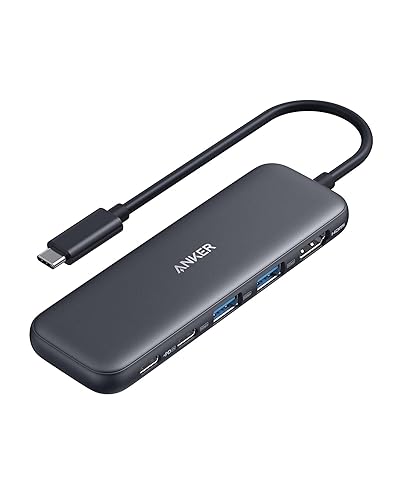
A USB C hub for PS5 gives you extra USB-A ports, an HDMI-style display output on some models, and sometimes a card reader, all from the single USB-C port on the front of the console. The catch is that the PS5 is picky: it does not function as a standard USB-C laptop, and many hubs that work fine on a Mac or Windows PC either do nothing or cause dropped controllers. This guide shows you how to match a hub to what the PS5 actually supports, how to test it, and how to avoid the common failures.
Step 1: Know What the PS5 Can Use on Its USB Ports
Sony’s PS5 has two USB-A ports on the front and one on the back in the standard model, plus a USB-C port on the front of some revisions. Those ports are designed for controllers, storage and accessories, not for video output. Sony does not document USB-C video output on the console, so a hub’s HDMI port will not work as a second display for the TV. Treat the hub as a way to add USB-A devices and storage, not as a dock.
Shopping for one? See our guide: USB C Ethernet Hub vs Wi-Fi Dongle (2026): Which Is Better for Wired Internet?.
Step 2: Pick the Right Hub Features for Your Setup
Focus on three specifications rather than the port count alone:
- USB-A ports with enough power: Look for hubs that state their per-port output. Many controllers and external drives draw more than a bare USB 2.0 port can supply.
- Passthrough charging: If you want the hub to pass power from a wall adapter, confirm the manufacturer lists power delivery input. Hubs without it can starve the console or the hub itself.
- Storage support: External SSDs and HDDs need stable power. A powered hub is safer than a bus-powered one for drives.
If you are comparing hubs by type, our overview of What Is a USB Hub and How Does It Work? explains bus-powered and self-powered designs in plain terms.
Step 3: Connect and Test the Hub Properly
- Power off the PS5 completely, not into rest mode.
- Plug the hub into a front USB port first, then connect the hub’s power supply if it has one.
- Power on the console and open Settings, then Devices, then USB Storage Devices to confirm recognition.
- Plug in one controller and check that it registers without disconnects during a 10-minute session.
- Connect your storage device and move a small file to confirm stable transfer.
If charging through the hub is unreliable, the cable may be the problem rather than the hub. A cable that only charges and cannot carry data can cause odd behavior, a point covered in Why a USB-C Cable or Port Doesn’t Work: Charge-Only Cables, Alt Mode and E-Marked Cables.
Step 4: Troubleshoot Common PS5 Hub Problems
Use this table to match the symptom to the likely cause:
| Symptom | Likely cause | Fix |
|---|---|---|
| Controller disconnects | Hub not powered or shared bus overload | Use a self-powered hub or plug the controller into a console port |
| External drive not detected | Insufficient power or hub incompatibility | Connect the drive directly and retest |
| Hub gets warm and cuts out | Too many high-draw devices | Remove one device or add a powered hub |
| No display on TV | HDMI output not supported for PS5 | Connect the TV to the console’s HDMI port |
Common Mistakes to Avoid
- Expecting the hub’s HDMI port to act as a second display for the PS5.
- Using a bus-powered hub for external hard drives.
- Daisy-chaining multiple hubs, which multiplies power and signal problems.
- Assuming a hub that works on a laptop will work on the console.
- Leaving the console in rest mode while swapping hub connections.
Recommended Gear
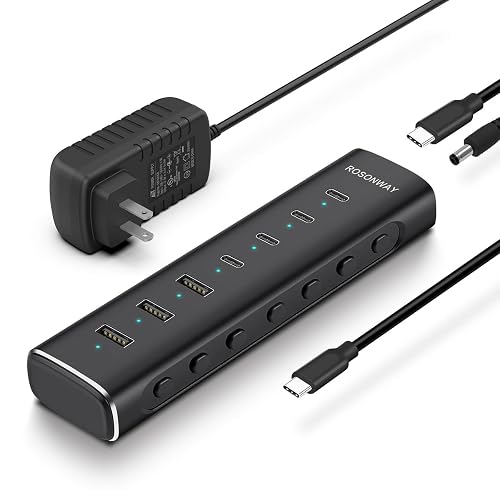
A powered USB hub with at least three USB-A ports is the most useful option for PS5 owners, since it keeps controllers and drives stable. Pick one that lists its power input and per-port output clearly. View on Amazon
A short, certified USB-A to USB-A cable helps when connecting drives to a hub located away from the console. View on Amazon
For storage, an external SSD with its own power connection avoids most hub-related dropouts. View on Amazon
FAQ
Does a USB C hub for PS5 add video output?
No. The PS5 does not use USB-C or hub HDMI ports for video, so the TV must connect to the console’s HDMI port directly. We also found USB C Hub OTG: What It Does and How to Set One Up (2026) useful on this point.
Can I charge my DualSense through a hub?
Often yes, but reliability varies. Connect the controller directly to a console USB port if you see charging interruptions.
Do I need a powered hub?
If you plan to use external drives or several controllers at once, a powered hub is the safer choice because it supplies stable power to each port.
Conclusion
A USB C hub for PS5 is a practical way to add USB-A ports and storage, but it works best when you choose a powered model and test it before relying on it. Treat the hub as an accessory port expander, not a video dock. If problems persist, check cables and power first, then compare hub options against your actual devices.
Related reading
- Usb-c Hub for Steam Deck: What to Buy, What to Avoid, and Why
- USB-C Hub vs Docking Station (2026): Which Is Better for Your Setup?
- USB Hub USB Type C: USB-A Hub vs USB-C Hub (2026): Which Should You Choose?
Ready to choose one?
About Owen Palmer
Owen Palmer is part of our editorial team and reviews and edits our consumer tech how-to & troubleshooting guides, checking product details against manufacturer specifications and owner feedback.