Quick answer
Our overall pick for the best wireless charger is the Ouotoo 3-in-1 MagSafe stand for its strong magnets, adjustable night light, and coverage for three Apple devices. The Anker Prime is a top choice for travelers needing Qi2-certified fast charging in a foldable design, while Apple’s official MagSafe charger offers a simple, high-power cable option.
Finding the best wireless charger can streamline your daily routine by reducing cable clutter and keeping your devices powered. We compared specifications from manufacturer listings to identify options that suit different needs, from multi-device deskside stations to compact travel companions. Whether you prioritize fast charging, portability, or a simple magnetic connection, our picks are based on the features and compatibility detailed in their official product data.
Our picks at a glance

Pros
- Charges three Apple devices (iPhone, Watch, AirPods) at once.
- Features a customizable blue ambient light with touch controls.
- Includes a 3-year warranty with a free replacement policy.
- Strong N52 magnets for secure MagSafe attachment.
Cons
- Requires a magnetic case or a compatible iPhone (12 and later) for MagSafe function.
- The listing does not mention compatibility with Android phones or non-Apple watches.
- It is a stand, not a flat pad, which may not suit all preferences.
Pros
- Official Apple product with Qi2.2 and Qi certification.
- Can provide up to 25W of wireless charging with a compatible adapter.
- Comes with a long, 2-meter braided USB-C cable.
- Magnets ensure perfect alignment for efficient charging.
Cons
- Only charges one device at a time.
- The listing does not mention any included power adapter.
- It is a flat pad, so it doesn't offer a stand for viewing the screen while charging.

Pros
- Foldable, lightweight design for easy portability.
- Can charge an iPhone, Apple Watch, and AirPods simultaneously.
- Includes multiple safety protections and LED indicators.
- Case-friendly for cases up to 4mm thick.
Cons
- Lower listed charging speeds (7.5W for phone) compared to MagSafe options.
- AirPods require a wireless charging case to work.
- The listing advises against using cases with metal or magnets.

Pros
- Qi2.2-certified for up to 25W fast wireless charging.
- Ultra-portable, foldable design ideal for travel.
- Includes a 45W USB-C power adapter and cable.
- Features a quiet AirCool temperature control system.
Cons
- Not a power bank; must stay plugged into a wall outlet.
- The listing states it is not compatible with Samsung watches.
- Requires the included 45W adapter for optimal performance.
How we chose
Our picks for the best wireless charger come from comparing manufacturer listings and specifications on Amazon as of October 2026. We did not test or use these products hands-on. We focused on key criteria like charging speed, compatibility, form factor, and any listed safety or warranty features to find options for different user scenarios.
Best Wireless Chargers: our picks in detail
1. Best overall: Ouotoo 3-in-1 MagSafe Wireless Charger Stand
The Ouotoo 3-in-1 MagSafe Wireless Charger Stand is designed to charge an iPhone, Apple Watch, and AirPods simultaneously from a single dock. It features a 15W fast wireless charging speed for iPhones and uses upgraded N52 magnets for a secure MagSafe snap. The stand supports both portrait and landscape viewing angles for using features like StandBy Mode.
A unique feature is the customizable blue ambient light built into the base, which you can tap to turn on, off, or adjust. The listing includes a 3-year coverage promise against manufacturing defects with a free replacement policy. It requires a USB-C connection and a magnetic case or iPhone 12 and later for the MagSafe function.
Best for: Best for someone who wants a versatile desk or nightstand station with a night light and strong MagSafe alignment for their iPhone, Apple Watch, and AirPods.
Pros
- Charges three Apple devices (iPhone, Watch, AirPods) at once.
- Features a customizable blue ambient light with touch controls.
- Includes a 3-year warranty with a free replacement policy.
- Strong N52 magnets for secure MagSafe attachment.
Cons
- Requires a magnetic case or a compatible iPhone (12 and later) for MagSafe function.
- The listing does not mention compatibility with Android phones or non-Apple watches.
- It is a stand, not a flat pad, which may not suit all preferences.
2. Best for simple, high-power MagSafe charging: Apple MagSafe Charger (2 m)
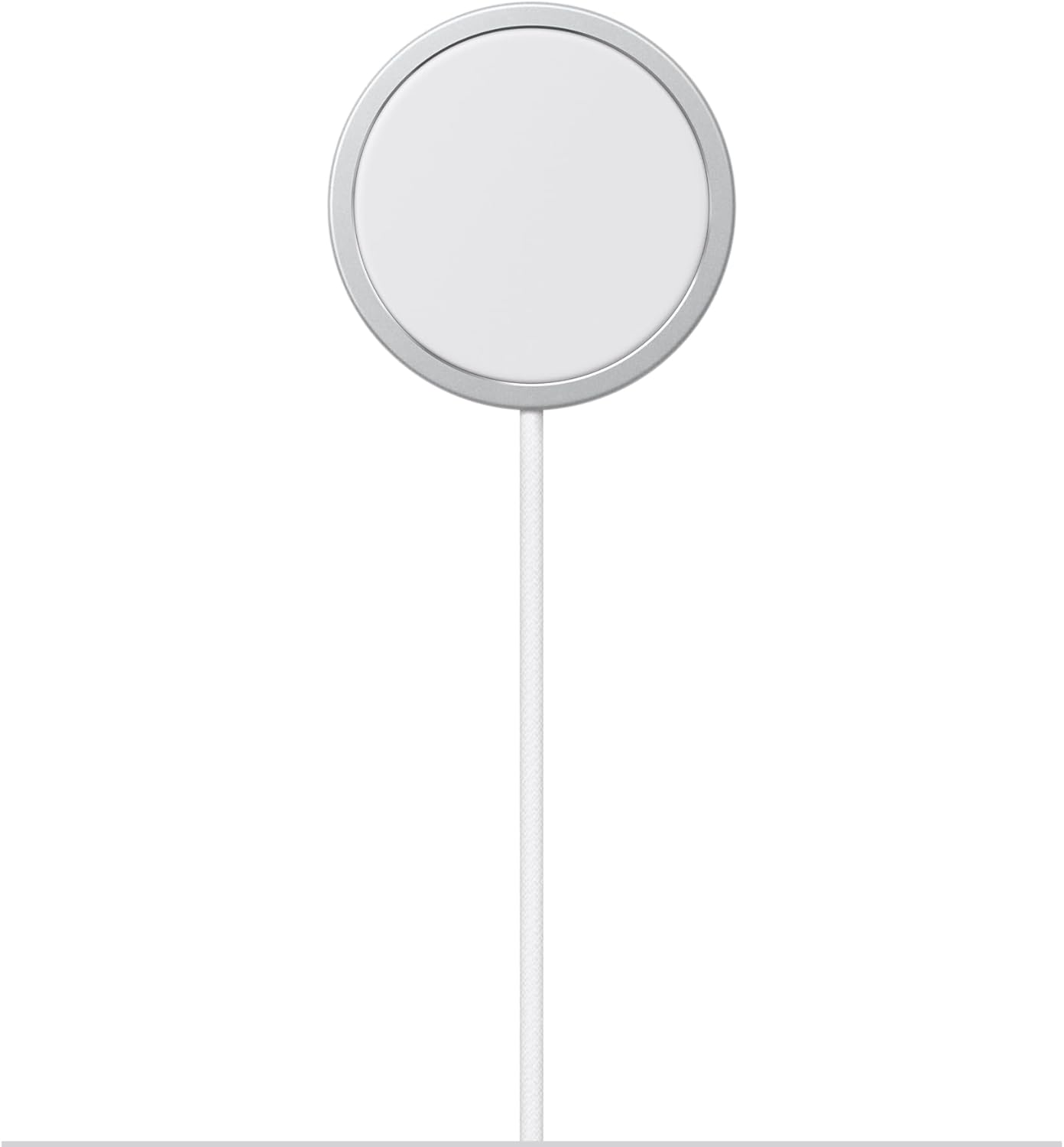
The Apple MagSafe Charger is a wireless charging pad that uses magnets to align and attach to compatible iPhone models. According to the listing, it provides faster wireless charging up to 25W when paired with a 30W power adapter. It is certified for both Qi2.2 and the standard Qi wireless charging protocols.
This compatibility allows it to wirelessly charge iPhone 8 or later models, as well as AirPods with a wireless charging case. The charger comes with a 2-meter integrated braided USB-C cable. It is a single-device charger without a stand or additional ports.
Best for: Best for users who want a straightforward, high-power MagSafe charger from the official brand with a long, braided cable.
Pros
- Official Apple product with Qi2.2 and Qi certification.
- Can provide up to 25W of wireless charging with a compatible adapter.
- Comes with a long, 2-meter braided USB-C cable.
- Magnets ensure perfect alignment for efficient charging.
Cons
- Only charges one device at a time.
- The listing does not mention any included power adapter.
- It is a flat pad, so it doesn’t offer a stand for viewing the screen while charging.
3. Best for a portable, foldable multi-device charger: GETPALS 3-in-1 Wireless Charger Station
The GETPALS Wireless Charger Station is a 3-in-1, foldable charging station designed for iPhone, Apple Watch, and AirPods. Its portable and foldable design makes it suitable for travel. The listed charging speeds are up to 7.5W for phones, 3W for earbuds, and 2.5W for watches.
The charger includes safety features like overcurrent, overvoltage, and overheating protection, along with LED charging indicators. It has a non-slip surface and is case-friendly, supporting cases up to 4mm thick, but the listing advises avoiding cases with metal rings, pockets, or magnets. It requires a USB-C connection.
Best for: Best for travelers who need a basic, foldable charging station for their iPhone, Apple Watch, and AirPods on the go.
Pros
- Foldable, lightweight design for easy portability.
- Can charge an iPhone, Apple Watch, and AirPods simultaneously.
- Includes multiple safety protections and LED indicators.
- Case-friendly for cases up to 4mm thick.
Cons
- Lower listed charging speeds (7.5W for phone) compared to MagSafe options.
- AirPods require a wireless charging case to work.
- The listing advises against using cases with metal or magnets.
4. Best for fast, portable Qi2 charging: Anker Prime 25W Qi2 3-in-1 Foldable MagSafe Charger
The Anker Prime is a palm-sized, 3-in-1 foldable MagSafe charger certified for Qi2.2 and capable of 25W magnetic wireless charging. It’s designed for travel, folding flat to fit in a pocket or bag, and includes a 45W USB-C charger and cable. The charger features an AirCool system that operates quietly and is designed to manage temperature during charging.
It can simultaneously charge an iPhone, an MFi-certified Apple Watch, and AirPods with a wireless charging case. The listing notes it is a wall-powered station, not a power bank, and is not compatible with Samsung watches. It comes with a 24-month warranty.
Best for: Best for frequent travelers who want the fastest possible Qi2-certified wireless charging in a compact, foldable 3-in-1 package.
Pros
- Qi2.2-certified for up to 25W fast wireless charging.
- Ultra-portable, foldable design ideal for travel.
- Includes a 45W USB-C power adapter and cable.
- Features a quiet AirCool temperature control system.
Cons
- Not a power bank; must stay plugged into a wall outlet.
- The listing states it is not compatible with Samsung watches.
- Requires the included 45W adapter for optimal performance.
Our best wireless charger picks at a glance
| Product | Max Charging Speed | Devices Charged | Key Feature | Portable/Foldable |
|---|---|---|---|---|
| Ouotoo 3-in-1 MagSafe Stand | 15W (iPhone) | 3 (iPhone, Watch, AirPods) | Adjustable blue night light | No |
| Apple MagSafe Charger | 25W (with adapter) | 1 | Official Apple, Qi2.2 certified | No |
| GETPALS 3-in-1 Station | 7.5W (Phone) | 3 (iPhone, Watch, AirPods) | Foldable for travel | Yes |
| Anker Prime Qi2 3-in-1 | 25W (Qi2) | 3 (iPhone, Watch, AirPods) | Qi2.2 certified, includes 45W adapter | Yes |
How to choose the best wireless charger
Selecting the best wireless charger involves matching the charger’s capabilities to your devices and how you plan to use it. The first step is to check compatibility. Most modern smartphones support the Qi wireless charging standard, but Apple users should look for “MagSafe” compatibility for the strongest magnetic alignment and fastest possible speeds on newer iPhones. Also, verify if the charger supports your specific watch or earbuds, as some are designed exclusively for Apple Watch with MFi certification.
Next, consider the form factor. A stand-style charger is great for a nightstand or desk, allowing you to view notifications or use StandBy Mode. A flat pad is more compact but doesn’t offer that angled view. For travel, a foldable design like our Anker or GETPALS picks can save significant space in your bag. Remember, a wireless charger’s speed depends on both its own maximum wattage and the power adapter you use with it. For the fastest experience, you’ll need a charger and adapter that meet or exceed your device’s maximum supported wireless charging rate.
What to look for
- Compatibility: Ensure it works with your phone’s charging standard (Qi or MagSafe) and any other devices like watches or earbuds.
- Charging Speed: Look for the maximum wattage (e.g., 15W, 25W) and note if a specific power adapter is required to achieve it.
- Form Factor: Decide between a stand for viewing, a flat pad, or a foldable design for portability.
- Multi-Device Support: A 3-in-1 station can reduce clutter by charging your phone, watch, and earbuds simultaneously.
Finally, review the listed features. Some chargers include useful extras like adjustable night lights, quiet cooling fans, or non-slip surfaces. Warranty length and safety certifications like over-temperature protection are also important factors for long-term reliability. For more on power standards, you can read our guide on USB-C Chargers, Power Banks and Wireless Chargers Explained.
FAQ
What’s the difference between Qi and MagSafe wireless charging?
Qi is the universal standard for wireless charging used by most smartphones. MagSafe is Apple’s implementation that adds a ring of magnets to the back of the iPhone and the charger. This ensures perfect alignment every time, which can enable faster, more efficient charging compared to standard Qi placement. A MagSafe charger is also Qi-certified, so it can charge other Qi-enabled devices, but without the magnetic snap.
Do I need a special power adapter for a fast wireless charger?
Often, yes. Many wireless chargers list a maximum wattage (like 15W or 25W) that is only achievable when paired with a power adapter of equal or greater capability. For example, Apple’s MagSafe Charger lists 25W charging when used with a 30W USB-C power adapter. The adapter is frequently not included, so check the listing’s “Included Components.” Using a lower-wattage adapter will result in slower charging speeds.
Can I use a wireless charger with my phone case on?
In most cases, yes, but with limitations. Wireless charging generally works through thin, non-metal cases. However, cases that are very thick, contain metal plates, rings, or magnets (not designed for MagSafe) can block the charging signal or cause overheating. Always check the charger’s listing for specific case compatibility notes, such as maximum thickness or warnings against metal.
Is it safe to leave my phone on a wireless charger overnight?
Modern wireless chargers with smart chips are designed with safety features like overcharge protection, which should stop charging once the battery is full. However, for long-term battery health, it’s generally recommended to avoid keeping a device at 100% charge for extended periods. Features like Optimized Battery Charging (on iPhones) help mitigate this by learning your routine. Always follow the safety instructions in the manufacturer’s manual.
References
- Amazon product listings and manufacturer specifications (accessed October 2026)
- Wireless Power Consortium (Qi standard)