By Lauren Holland
Updated November 2026
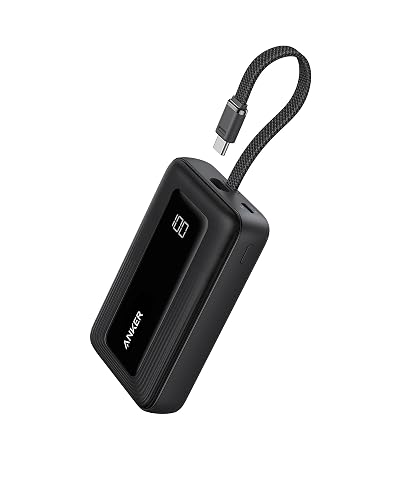
A mobile power bank for iPhone keeps your phone running when there’s no wall outlet nearby. This guide walks you through matching capacity and output to your iPhone, checking that it supports the fast charging your phone can use, and charging the bank itself so it’s ready when you need it. By the end, you’ll know which specs matter and which ones are just marketing.
Step 1: Figure Out How Much Charge You Actually Need
Battery capacity is listed in milliamp-hours (mAh), but your iPhone’s battery is measured in watt-hours (Wh). Most bank makers list both. To estimate how many full charges you’ll get, divide the bank’s usable capacity by your iPhone’s battery capacity. Expect roughly 15 to 25 percent of the bank’s rated capacity to be lost to voltage conversion and heat, so a 20,000 mAh bank typically delivers about two to three full iPhone charges, depending on the model.
Shopping for one? See our guide: 6 Best Jackery Power Bank 20000 mAh Options for Travel and Everyday Use (2026).
If you mostly need a top-up during the workday, a smaller bank is easier to carry. For multi-day trips without an outlet, a larger bank makes more sense. For a lighter option, see Power Bank of 5000mAh: What It Covers and How to Pick One (2026), and for higher capacity, Power Bank Charger 20000mAh: 6 Best Picks for Travel and Everyday Use (2026).
Step 2: Check for USB-C Power Delivery
Modern iPhones charge fastest over USB-C with Power Delivery (PD). Look for a bank that lists PD output and at least 20 W, which is what Apple specifies for fast charging on recent iPhone models. A bank with only older USB-A output will still charge your phone, but noticeably more slowly.
You’ll also need a USB-C to USB-C cable rated for the wattage you want. Cables that only handle data or low power will cap your charging speed regardless of what the bank can deliver. For background on how these standards fit together, read USB-C Chargers, Power Banks and Wireless Chargers Explained.
Step 3: Confirm Port Layout and Simultaneous Charging
If you want to charge your iPhone and something else at once, check the output rating for each port and for the total. A bank that advertises 30 W total across two ports may only give 20 W to the iPhone when both are in use. Choose a bank whose listed output covers your phone at full speed.
Step 4: Charge the Bank and Use It Correctly
- Charge the bank fully before your trip, using the input port and a PD-capable wall adapter.
- Connect the iPhone with a quality USB-C cable directly to the bank’s output port.
- Keep the bank and phone out of direct sun and off warm car dashboards while charging.
- Unplug once the phone reaches your target level, and recharge the bank within a few days of use.
Owners often report that leaving a bank at zero for long periods shortens its useful life, so a quick top-up after each trip helps.
Common Mistakes to Avoid
- Buying on capacity alone and ignoring PD output, which caps how fast your iPhone charges.
- Using a thin, charge-only cable that limits wattage.
- Assuming the advertised mAh equals usable charge.
- Charging the bank on a hot surface or leaving it plugged in overnight on a low-quality adapter.
- Carrying a damaged or swollen bank. Stop using it and follow the manufacturer’s disposal guidance.
Recommended Gear
- A certified USB-C to USB-C cable helps your iPhone reach its fastest charge rate from the bank. View on Amazon
- A PD wall adapter lets you fully recharge the bank quickly at home or the office. View on Amazon
- A compact pouch or sleeve protects the bank from pressure and keeps the cable organized in your bag. View on Amazon
FAQ
Will any power bank charge an iPhone?
Most power banks will charge an iPhone, but only those with USB-C PD output deliver the fastest speeds. Older USB-A banks work, just more slowly.
How many times can a power bank charge my iPhone?
It depends on the bank’s usable capacity and your iPhone’s battery size. Expect fewer full charges than the mAh rating suggests, because energy is lost during conversion.
Is it safe to charge my iPhone and the bank at the same time?
Pass-through charging is possible on some banks but generates extra heat. Check the manufacturer’s guidance, and if you notice unusual warmth or swelling, stop and consult the manufacturer or a qualified professional.
Conclusion
A good mobile power bank for iPhone matches your charging needs: enough usable capacity, USB-C Power Delivery at 20 W or higher, and a cable that can carry that power. Confirm the specs, keep the bank charged, and replace it if it shows signs of damage. Check the official site of any product you’re considering for current specifications and details.
Ready to choose one?
About Lauren Holland
Lauren Holland is part of our editorial team and reviews and edits our consumer tech how-to & troubleshooting guides, checking product details against manufacturer specifications and owner feedback.