By Lauren Holland
Updated November 2026
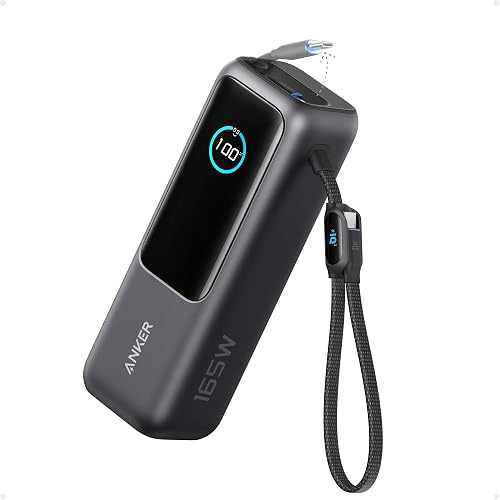
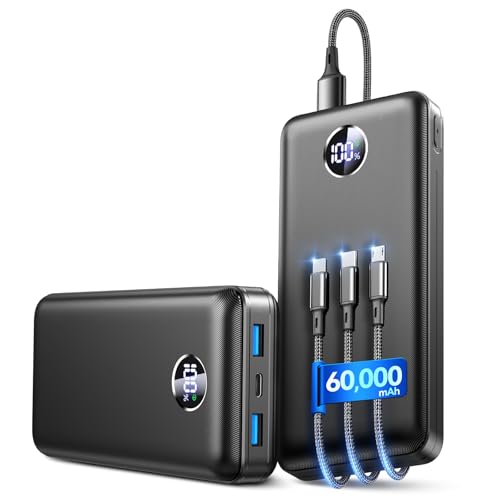
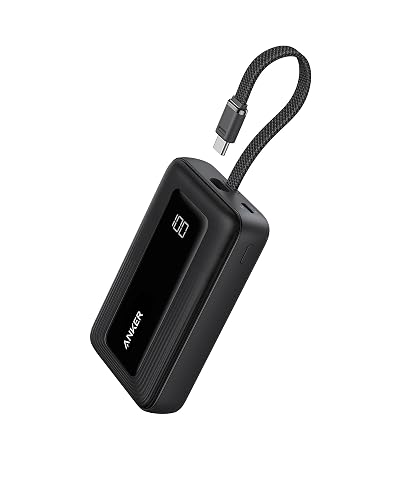
A power bank mobile phone setup lets you recharge your phone when no wall outlet is nearby. This guide shows you how to match a power bank to your phone, estimate how many full charges you will get, and avoid the mistakes that slow charging or shorten battery life.
Step 1: Check What Your Phone Supports
Start with your phone’s charging port and maximum input. Most current phones use USB-C or Lightning, and the phone’s spec sheet lists its maximum wired charging power in watts. A high-capacity power bank will not charge faster than the phone accepts, so you do not need more output than your phone can use. If you have an iPhone, Mobile Power Bank for iPhone: How to Choose and Use One Safely (2026) covers the specific details for that platform.
Shopping for one? See our guide: Good Phone Power Bank: 3 Best Picks for Everyday Charging (2026).
Step 2: Work Out Real Capacity
Power bank capacity is printed in milliamp-hours (mAh) at the battery cell voltage, usually 3.6 to 3.7 volts. Your phone runs on a different voltage, and conversion losses of roughly 20 to 30 percent are normal. As a rough guide, divide the bank’s rated capacity by your phone’s battery capacity, then reduce the result by about a quarter.
| Power bank rating | Typical phone battery | Rough full charges |
|---|---|---|
| 5,000 mAh | 4,000 to 5,000 mAh | About 1 charge |
| 10,000 mAh | 4,000 to 5,000 mAh | About 2 charges |
| 20,000 mAh | 4,000 to 5,000 mAh | About 3 to 4 charges |
For a deeper look at capacity ratings, read How to Choose a Power Bank: Capacity and Key Features.
Step 3: Match the Cable and Port Types
Use a cable that supports the power level you want. A USB-C to USB-C cable rated for higher wattage gives the best results with modern phones. Check that the power bank has a port labeled for output and that the cable fits both ends firmly. Loose connections are a common cause of slow or intermittent charging.
Step 4: Charge Efficiently and Safely
Keep the phone and power bank out of direct sunlight and off soft surfaces that trap heat. Avoid charging while gaming or recording video, since heat from both the phone and the bank slows charging. Recharge the power bank regularly so it is ready when you need it. For background on how charging moves energy between devices, see USB-C Chargers, Power Banks and Wireless Chargers Explained.
Checklist Before You Head Out
- Confirm your phone’s port type and maximum wired charging watts.
- Estimate usable charges using the capacity rule above.
- Pack a cable that matches both the phone and the power bank.
- Charge the power bank to full the night before.
- Store it in a cool, dry place when not in use.
Common Mistakes to Avoid
- Assuming a large capacity number equals full phone charges. Conversion losses always reduce the real total.
- Using an old or damaged cable that limits charging speed.
- Charging the phone and bank in a hot car or under a pillow.
- Buying a power bank with less output wattage than your phone can accept, which makes charging slow.
- Letting the power bank sit fully drained for months, which can reduce its lifespan.
Recommended Gear
A quality USB-C cable rated for higher power delivery helps you get the most speed from both the phone and the bank. View on Amazon
A compact power bank with a capacity close to 10,000 mAh suits daily commuting and short trips. View on Amazon
FAQ
Can a power bank mobile phone setup damage my battery?
A reputable power bank with built-in protection circuits is generally safe for daily use. Avoid heat, physical damage and mismatched cables, and check the phone maker’s guidance for charging accessories.
How long does it take to charge a phone from a power bank?
Charging time depends on the phone’s maximum input and the bank’s output. A fast-charging setup can recharge a typical phone from low to around 50 percent in roughly 30 minutes, though exact times vary by model.
Can I charge my power bank and phone at the same time?
Many power banks support pass-through charging, but it slows both devices and increases heat. Charging the phone first and the bank afterward is usually the better habit.
Conclusion
A power bank mobile phone setup works best when you match capacity, cable and output to your phone’s real needs. Check your phone’s specs, estimate usable charges and keep the bank cool and charged. With those steps, you can rely on your phone during long days away from an outlet.
Related reading
- Solar Battery Charger Power Bank: Does It Really Charge Your Phone?
- Cell Phone Power Bank Portable Charger: How to Choose and Use One (2026)
- 5 Best Power Bank Phone Chargers of 2026: Our Picks Compared
Ready to choose one?
About Lauren Holland
Lauren Holland is part of our editorial team and reviews and edits our consumer tech how-to & troubleshooting guides, checking product details against manufacturer specifications and owner feedback.