 By Owen Palmer
Updated November 2026
Shopping for a portable 2nd monitor for laptop use usually comes down to four things: screen size, the ports your laptop actually has, weight, and whether you need speakers or a cover. This list compares five well-known listings on those criteria, with notes on who each one suits best. Specs come from manufacturer and listing details, and owner feedback patterns were considered in the selection.
Our top picks at a glance
- 1
 TOP CHOICEBest overallKYY Portable Monitor 15.6" 1080PView on Amazon
- 2
 TOP CHOICEBest for ultra-light travelLaptop Screen Extender 14.2" Dual Portable MonitorView on Amazon
- 3
 TOP CHOICEBest for console and PC mixed usecocopar Portable Monitor 15.6 Inch 1080PView on Amazon
- 4
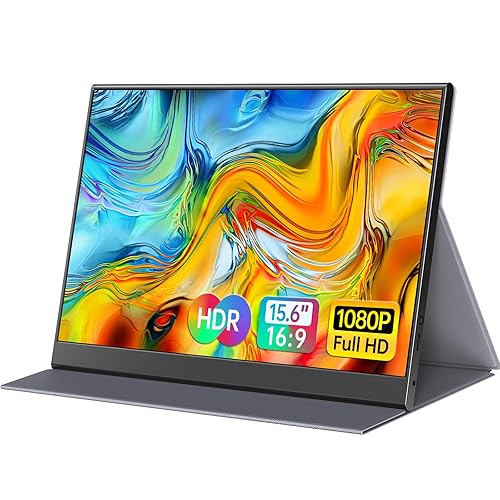 Best for a slim, frameless look6inch Portable Monitor Ultra-Thin Zero FrameView on Amazon
- 5
 Best for a protective-case bundleInnoView Portable Monitor 15.6 Inch FHDView on Amazon
Our Top Picks
Quick Comparison
| Product | Best for | Key feature |
|---|---|---|
| KYY Portable Monitor 15.6″ | General laptop extension | USB-C and HDMI with speaker |
| Laptop Screen Extender 14.2″ | Ultra-light travel | About 1.87 lbs, plug and play |
| cocopar Portable Monitor 15.6″ | Console and PC mixed use | VESA mount and cover stand |
| 15.6inch Zero Frame Monitor | Slim desk setups | Ultra-thin frameless IPS panel |
| InnoView Portable Monitor 15.6″ | Carrying it in a bag | Included protective case |
KYY Portable Monitor 15.6″ 1080P
Portable Monitor for Laptop 1080P FHD IPS with USB-C and HDMI, Laptop Screen Extender for Travel HDR Gaming Monitor w/Speaker KYY Portable Monitor 15.6" 1080P Computer Monitor Screen Extender w/Cover
Best for: General laptop extension with minimal setup.
A solid all-rounder for people who want one dependable second screen for spreadsheets, email and video calls, with a built-in speaker and a cover that doubles as a stand.
Pros
- USB-C and HDMI inputs cover most laptops
- IPS panel with wide viewing angles
Cons
- Speaker is basic for music
Laptop Screen Extender 14.2″ Dual Portable Monitor
Laptop Screen Extender 1.87lbs Ultra-Portable & Ultra Slim, 14.2" FHD 1080P Dual Portable Monitor for 14"-17.3" Laptop, Plug & Play Travel Monitor Extender Compatible with Wins/Mac/Chrome/Android
Best for: Ultra-light travel.
Aimed at commuters and frequent flyers who want the lightest possible add-on for a 14″ to 17.3″ laptop, and who value plug-and-play compatibility across operating systems.
Pros
- Listed at about 1.87 lbs, easy to slip into a backpack
- Works with Windows, Mac, Chrome and Android devices
Cons
- Smaller 14.2″ panel than most rivals
cocopar Portable Monitor 15.6 Inch 1080P
cocopar Portable Monitor 15.6 Inch 1080P FHD 60Hz 85% sRGB Travel Monitor with Speaker HDMI USB-C Second Screen for Laptop MacBook Surface PC Xbox PS4/5, VESA Mountable, with Cover Stand
Best for: Console and PC mixed use.
Suits users who connect a laptop, a gaming console and a desktop, and who want a VESA-mountable panel that can move from a desk to a monitor arm.
Pros
- VESA mount support for flexible positioning
- Lists 85% sRGB coverage for accurate colors
Cons
- 60Hz refresh rate is not suited to fast gaming
15.6inch Portable Monitor Ultra-Thin Zero Frame
15.6inch Portable Monitor,1080P USB-C HDMI Second External Monitor for Laptop,PC,Mac Phone,PS,Xbox,Swich,IPS Ultra-Thin Zero Frame Gaming Display/Premium Smart Cover
Best for: A slim, frameless look.
A good fit for users who run a clean, minimal desk and want the screen to sit flush beside the laptop with little visible bezel.
Pros
- Zero-frame design reduces the visual seam
- Covers laptops, phones and consoles through USB-C and HDMI
Cons
- Listing details on refresh rate vary, so confirm before buying
InnoView Portable Monitor 15.6 Inch FHD
InnoView Portable Monitor, 15.6 Inch FHD 1080P HDMI USB C Second External Monitor for Laptop, Desktop, MacBook, Phones, Tablet, PS5/4, Xbox, Switch, Built-in Speaker with Protective Case
Best for: Carrying it in a bag.
Works well for people who move the screen between home, office and hotel rooms and want the included case to protect the panel in transit.
Pros
- Protective case included in the listing
- Built-in speaker and standard HDMI input
Cons
- Case adds bulk to the carry weight
Buying Guide
Match the ports to your laptop
Check whether your laptop has USB-C with DisplayPort Alt Mode or a full-size HDMI port. Some USB-C ports only charge and do not carry video, so look at the port icons or the laptop manual before you order.
Pick a size you can read comfortably
Most listings in this range use 14″ to 15.6″ panels at 1920×1080. A 15.6″ screen gives more room for documents, while 14″ is easier to pack.
Weigh portability against stability
Lighter units are easier to carry but can wobble on a desk without a stand. Look for a cover that folds into a kickstand if you plan to work on the screen daily.
Consider speakers and mounts
Built-in speakers are handy for calls but usually weak for media. VESA mount support matters if you plan to attach the screen to an arm or a laptop stand.
Good picks for this: cocopar Portable Monitor 15.6 Inch and InnoView Portable Monitor 15.6 Inch
FAQ
Does a portable monitor draw power from my laptop?
Many USB-C models draw power from the laptop’s port, which can drain the battery faster. Check the listing for a separate power input if you want to avoid that.
Related reading
- Triple Portable Monitor for Laptop 15.6-Inch: 5 Best Picks Compared (2026)
- Portable Triple Monitor Setup: A Step-by-Step Guide for Laptop Users
- Portable Dual Monitor Setup: A Step-by-Step Guide for Laptop Users
- 7 Best Vision Owl Portable Monitor Picks for Laptop Users (2026)
About Owen Palmer
Owen Palmer is part of our editorial team and reviews and edits our consumer tech how-to & troubleshooting guides, checking product details against manufacturer specifications and owner feedback.