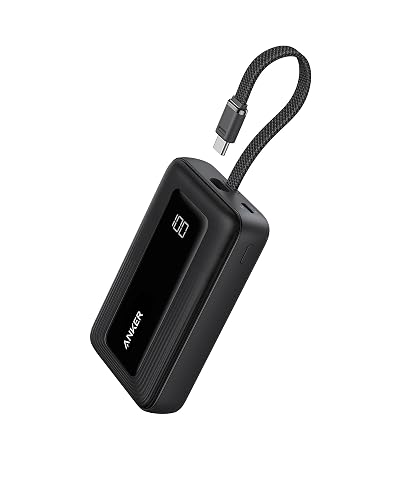
By Lauren Holland
Updated November 2026
To recharge a power bank, connect it to a wall adapter or USB port using a cable rated for the charging speed you need, then leave it plugged in until the indicator lights show full. Most power banks have a dedicated input port, which is often labeled “IN” or shares the same USB-C connector as the output. Once you know which port to use, the process takes only a few minutes of setup.
Check Which Port Is the Input
Many power banks have two or more ports, and only one of them accepts power. The input is usually labeled “IN,” “INPUT,” or shows a small arrow pointing inward. Plugging a cable into an output port will charge a phone or tablet, not the power bank itself. If your model uses a single USB-C port for both directions, that port handles input and output, so a quick look at the packaging or the manufacturer’s manual will confirm the behavior.
Shopping for one? See our guide: 6 Best Jackery Power Bank 20000 mAh Options for Travel and Everyday Use (2026).
Choose the Right Charger and Cable
The charger and cable determine how fast the power bank refills. Manufacturers typically specify a maximum input wattage on the label or spec sheet, and a wall adapter that delivers at least that wattage will recharge the bank at its intended speed. A low-output adapter, such as an old 5-watt phone brick, will work but can take many hours.
- Find the input wattage printed on the power bank or in its manual.
- Use a USB-C Power Delivery wall adapter rated at or above that figure.
- Pair it with a cable rated for the same current. Thin or damaged cables can limit charging speed.
- Plug the adapter into a wall outlet, then connect the cable to the power bank’s input port.
- Watch the indicator lights. Most banks show charge level with a set of LEDs that fill in as the battery rises.
Monitor the Charge and Know When It Is Done
Charging time depends on capacity and input power. A 10,000mAh bank on a modest adapter may need several hours, while a higher-wattage setup can cut that time noticeably. Some banks light a steady LED ring or turn off the indicators when full. Others keep a single light on until you unplug them. Leaving a bank connected after it reaches 100 percent is generally fine with current designs, but unplugging it once full is a sensible habit that reduces unnecessary heat.
| Situation | What to Do |
|---|---|
| Bank is warm to the touch | Unplug and let it cool before continuing |
| Charging very slowly | Swap in a higher-wattage adapter and a known-good cable |
| No lights respond | Try a different outlet, adapter and cable, then check the manual |
Common Mistakes to Avoid
- Plugging into an output port instead of the input port.
- Using a phone charger with a weak cable and expecting fast refills.
- Charging the bank on a hot car dashboard or under a blanket.
- Leaving a damaged or swollen bank plugged in. Stop using it and follow the manufacturer’s disposal guidance.
- Assuming all USB-C ports are equal. Some are output only.
Recommended Gear
- USB-C Power Delivery wall adapter: Matches the higher input wattage many modern banks accept, shortening charge time. View on Amazon
- Braided USB-C to USB-C cable: Offers a sturdier connection than thin stock cables and resists wear at the ends. View on Amazon
FAQ
Can I recharge a power bank from my laptop?
Yes, if the laptop’s USB port delivers enough power. Laptop ports often supply less current than a wall adapter, so charging will be slower. Using a dedicated wall adapter is usually faster.
Is it safe to charge a power bank overnight?
Most current power banks stop charging once full, so overnight charging is generally safe. Still, avoid charging on soft surfaces or in hot spaces, and check the manual for any specific warnings.
Why does my power bank take so long to charge?
The most common cause is a low-wattage adapter or a weak cable. Matching the input wattage in the manual with a proper Power Delivery adapter and a good cable usually fixes the problem.
Conclusion
Recharging a power bank comes down to finding the input port, pairing it with an adapter and cable that meet its rated wattage, and unplugging once full. Watch for heat and damage, and the bank should refill quickly and reliably. If charging stays slow, the adapter or cable is the first thing to replace.
Related reading
- Solar Power Bank 20000mah: How to Choose, Use and Maintain One (2026)
- Power Bank of 5000mAh: What It Covers and How to Pick One (2026)
- Power Bank Pocket Juice: What It Is and How to Use It Safely
- Power Bank Charge Worx: What It Is and How to Use It Safely
- Portable Power Bank 20000mAh: How to Choose the Right One (Step-by-Step)
Ready to choose one?
About Lauren Holland
Lauren Holland is part of our editorial team and reviews and edits our consumer tech how-to & troubleshooting guides, checking product details against manufacturer specifications and owner feedback.