By Declan Sullivan
As an Amazon Associate I earn from qualifying purchases. This page may contain affiliate links.
Shopping for gaming laptop computer deals sounds simple until you start comparing graphics cards, refresh rates and cooling designs that all look alike on a product page. The real question is not which laptop is the most powerful on paper, but which one will run the games you actually play at a smooth frame rate, hold its performance over a long session, and still fit your desk and bag. This guide focuses on those practical criteria. We looked at manufacturer specifications, brand track record, and the patterns owners tend to mention in feedback, including thermal throttling, fan noise, screen quality and battery life under load. Use the list below as a starting point, then match the picks to your own games and budget.
Our Top Picks
Quick Comparison
| Product | Best for | Key feature |
|---|---|---|
| ASUS ROG Strix G16 | High-refresh 1080p and 1440p gaming | RTX 40-series GPU with a 165 Hz display option |
| Lenovo Legion Pro 5i | Sustained performance in demanding titles | Large vapor chamber cooling system |
| MSI Katana 15 | Entry-level gaming on a tighter budget | Lightweight chassis with a capable mid-range GPU |
| Razer Blade 16 | Premium build and display quality | Mini-LED style high-refresh panel options |
| Acer Nitro V 16 | Students and first-time gaming laptop buyers | Solid performance-per-dollar balance |
| HP Omen 16 | Versatile gaming and everyday work | Balanced cooling with a clean, understated design |
| Gigabyte AORUS 15 | Competitive gaming with fast displays | High refresh rate panel and robust port selection |
| Alienware m16 R2 | Gamers who want a premium, well-supported machine | Strong thermal design and a polished display |
| Dell G15 | Budget-conscious buyers who still want solid gaming | Accessible GPU options and easy upgrade paths |
ASUS ROG Strix G16
This suits gamers who want high frame rates in competitive shooters and open-world titles at 1080p or 1440p. It is a strong all-around choice if you value a fast display and a sensible balance of performance and portability.
Key specs
- Intel Core i7 or Core i9 class processor, depending on configuration
- NVIDIA GeForce RTX 40-series laptop GPU
- 16-inch display with high refresh rate options
- 16 GB or 32 GB DDR5 memory in common configurations
Pros
- Fast high-refresh display suits competitive games
- Good port selection for peripherals and external monitors
- Strong performance for its class
Cons
- Fans can get loud under full load
- Heavier than thinner gaming rivals
Lenovo Legion Pro 5i
Best for players who run long sessions in demanding games and want the laptop to hold its clock speeds instead of slowing down after twenty minutes. It also works for mixed use if you do not mind a larger chassis.
Key specs
- Intel Core HX series processor
- NVIDIA GeForce RTX 40-series laptop GPU
- 16-inch display, typically 2560 x 1600 resolution on higher configurations
- Vapor chamber cooling with dual fans
Pros
- Cooling design is widely praised for sustained performance
- High-resolution display with good color coverage on many models
- Solid keyboard and typing feel
Cons
- Bulky and heavy for daily carrying
- Battery life is short when gaming, as expected for this class
MSI Katana 15
A practical pick for students and newcomers who want to play current titles at medium to high settings without paying for premium features they will not use. It is a good fit for 1080p gaming.
Key specs
- Intel Core i7 class processor on common configurations
- NVIDIA GeForce RTX 40-series laptop GPU options
- 15.6-inch display, 144 Hz on many versions
- 16 GB DDR5 memory typical, with an upgradable design on most models
Pros
- Lighter than many gaming laptops of similar capability
- Good value for 1080p gaming
- Upgrade-friendly internals on many units
Cons
- Speakers and build feel more modest than premium rivals
- Not the best choice for high-resolution external displays
Razer Blade 16
Aimed at buyers who want a premium aluminum build, a high-quality display and a laptop that looks at home in a professional setting. It suits gamers who also edit video or work in creative software.
Key specs
- Intel Core HX series processor
- NVIDIA GeForce RTX 40-series or 50-series laptop GPU depending on configuration
- 16-inch display with high refresh rate options
- CNC aluminum chassis
Pros
- Premium materials and build quality
- Display options are among the stronger ones in its category
- Compact footprint for the performance level
Cons
- Premium positioning means fewer discount opportunities
- Thermal headroom is good but not as generous as the largest gaming chassis
Acer Nitro V 16
A reasonable starting point for students, teens, or anyone buying their first gaming laptop. It handles popular esports titles and many single-player games at moderate settings.
Key specs
- Intel Core i5 or i7 class processor depending on configuration
- NVIDIA GeForce RTX 40-series laptop GPU options
- 16-inch display, commonly 165 Hz
- 16 GB DDR5 memory typical
Pros
- Strong performance per dollar on many configurations
- High refresh display for the class
- Good port layout for everyday accessories
Cons
- Build feels plastic compared with premium models
- Speakers are adequate but not impressive
HP Omen 16
Works well for people who want a gaming machine that does not look out of place in a home office or classroom. Its cooling is tuned for steady performance without the visual aggression of some rivals.
Key specs
- Intel Core i7 class processor
- NVIDIA GeForce RTX 40-series laptop GPU
- 16.1-inch display with high refresh rate options
- Dual fan cooling with heat pipes
Pros
- Understated design suits mixed use
- Balanced thermals for sustained gaming
- Good keyboard and touchpad
Cons
- Display brightness varies across configurations
- Fewer RGB and customization options than some gaming-focused brands
Gigabyte AORUS 15
Suited to competitive players who want a fast panel, quick input response and a wide range of ports for peripherals and external monitors. It is a good match for esports titles at high frame rates.
Key specs
- Intel Core i7 class processor
- NVIDIA GeForce RTX 40-series laptop GPU
- 15.6-inch display with high refresh rate options
- Thunderbolt-capable port layout on many configurations
Pros
- Fast display suited to competitive play
- Useful port selection
- Strong gaming performance in its size class
Cons
- Thermal performance can vary with ambient temperature
- Battery life is limited under gaming load
Alienware m16 R2
Designed for gamers who want premium build quality, strong thermal engineering and a laptop backed by a well-known gaming brand. It is a solid choice for players who keep a machine for several years.
Key specs
- Intel Core HX series processor
- NVIDIA GeForce RTX 40-series laptop GPU
- 16-inch display with high refresh rate options
- Thermal design with multiple heat pipes and fans
Pros
- Premium chassis and finish
- Strong thermal engineering for sustained play
- Good display options for gaming and creative work
Cons
- Premium pricing means fewer deal windows
- Heavier than slim gaming alternatives
Dell G15
A sensible pick for buyers who want a capable gaming machine on a tighter budget and plan to play mainly at 1080p. It is also a good option for those who want an easy upgrade path later.
Key specs
- Intel Core i5 or i7 class processor
- NVIDIA GeForce RTX 40-series laptop GPU options
- 15.6-inch display, commonly 120 Hz or 165 Hz
- Upgradable memory and storage on many models
Pros
- Accessible entry point for gaming
- Upgrade-friendly design
- Widely available configurations
Cons
- Display quality is average for the class
- Build materials are more plastic-heavy than premium options
Buying Guide
Good gaming laptop computer deals depend on understanding a few core trade-offs. Start with the graphics processor, since it sets the frame rate ceiling in most games. Then check the display, cooling and memory, because these determine whether that performance actually reaches your screen and stays there. Think about where you will play, too. A laptop that runs quietly on a desk may sound like a jet engine in a bedroom at night.
Selection Criteria We Used
We weighed manufacturer specifications, the reputation of each brand for build and support, and recurring themes in owner feedback. Thermal behavior, fan noise, display quality and real-world battery life carried more weight than headline benchmark claims, because those factors shape daily use.
Important Features to Compare
- GPU: The graphics chip matters more than the CPU for most games. Look for the exact GPU model, not just the brand name, because the same name can cover very different power levels.
- Display: A 144 Hz or 165 Hz panel makes motion look smoother in fast games. Resolution of 1080p is usually enough for a 15 or 16-inch screen, while 1440p suits sharper detail.
- Cooling: Heat pipes, vapor chambers and multiple fans help the laptop keep its clock speeds during long sessions.
- Memory: 16 GB is a practical baseline. 32 GB helps if you stream, record or run many background apps.
- Storage: A 1 TB NVMe SSD gives room for large game libraries. Check whether a second drive slot is available.
Specs to Check Before You Buy
- Exact GPU model and its rated power (TGP), if listed
- Display refresh rate, resolution and panel type
- Number of RAM slots and maximum supported memory
- Port selection, especially USB-C with power delivery and video output
- Battery watt-hour rating and included charger wattage
Choosing by Need
If you play competitive shooters, prioritize a high refresh display and a strong GPU at 1080p. If you play story-driven or open-world games, a 1440p panel and larger memory pool make more sense. Students and first-time buyers can often get good results from mid-range configurations. Creators who also game should look at display color accuracy and the quality of the keyboard and trackpad.
Things to Watch Out For
- Laptops with the same name but different GPU wattage can perform very differently
- Thin chassis may throttle under sustained load
- Gaming laptops are heavier and need a larger bag; a dedicated sleeve helps
- Battery life away from a power outlet is short under gaming load
- Check return policies, since configuration differences are easy to miss
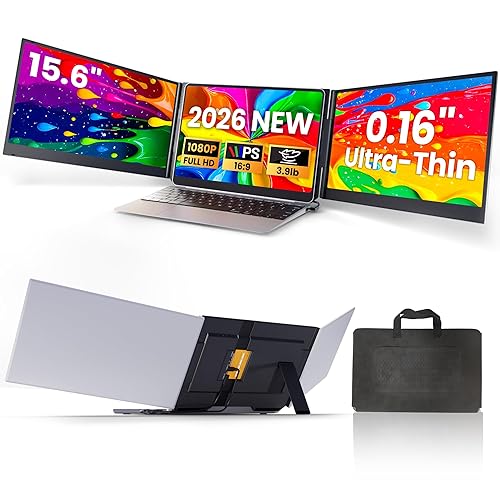
Accessories can also make a difference. A cooling pad, an external mouse and a quality headset improve daily comfort. Our guides on 19 Best Gaming Headsets and 13 Best Laptop Stands cover those upgrades in more detail, and Best External Monitor for Laptop explains how to add a larger screen at your desk.
FAQ
What should I prioritize when looking at gaming laptop computer deals?
Prioritize the GPU model, display refresh rate and cooling design. These three factors determine frame rates, smoothness and whether performance holds during long sessions.
Is 16 GB of RAM enough for gaming?
For most current games, 16 GB is a practical minimum. Players who stream, record or keep many browser tabs open often benefit from 32 GB.
Does a higher refresh rate matter?
Yes, especially in fast-paced shooters and racing games. A 144 Hz or 165 Hz display shows smoother motion than a standard 60 Hz panel, though the GPU must be able to produce those frame rates.
Can I upgrade a gaming laptop later?
Memory and storage are often upgradable on many models. The GPU is typically soldered to the board, so buy the graphics power you need from the start.
How long does a gaming laptop battery last?
Battery life under gaming load is usually short, often well under two hours. Expect to plug in for most gaming sessions and use battery power mainly for light tasks.
Do gaming laptops run hot?
Surface temperatures rise during heavy play, and owners frequently mention fan noise. Good cooling design and a flat surface for airflow reduce throttling and keep the laptop more comfortable to use.
Are gaming laptops good for school or work?
Yes, many double as capable everyday machines. Their heavier chassis and fan noise are the main trade-offs compared with thin productivity laptops.
Conclusion
The best gaming laptop computer deals match hardware to how you play. For high-refresh competitive gaming on a budget, the MSI Katana 15 and Acer Nitro V 16 are reasonable starting points. For sustained performance in demanding titles, the Lenovo Legion Pro 5i and Alienware m16 R2 are strong choices. Players who want a premium build with a sharp display should consider the Razer Blade 16, while buyers who value a quieter, more understated design may prefer the HP Omen 16. The ASUS ROG Strix G16 and Gigabyte AORUS 15 suit fast-display competitive play, and the Dell G15 offers an accessible route into 1080p gaming. Compare the GPU model, display and cooling for each configuration before you buy, and consult a professional if you need help choosing hardware for a specific workload.
Related reading

About Declan Sullivan
Declan researches and writes buying guides and how-to articles on consumer tech how-to & troubleshooting. Picks are based on product specifications, brand reputation and patterns in owner feedback, and are updated as new models come out.